Apiary
PT Talk to us

Reverse proxy for Docker Swarm

Lose a node.
Keep serving.

Apiary routes HTTP, TCP and UDP to your Swarm services, renews HTTPS certificates on its own, and keeps its state replicated between its replicas. No database to run, no Docker socket to hand over.

Open sourceAGPL-3.0Commercial licence available

The admin interface

Calm by default. Clear when it matters.

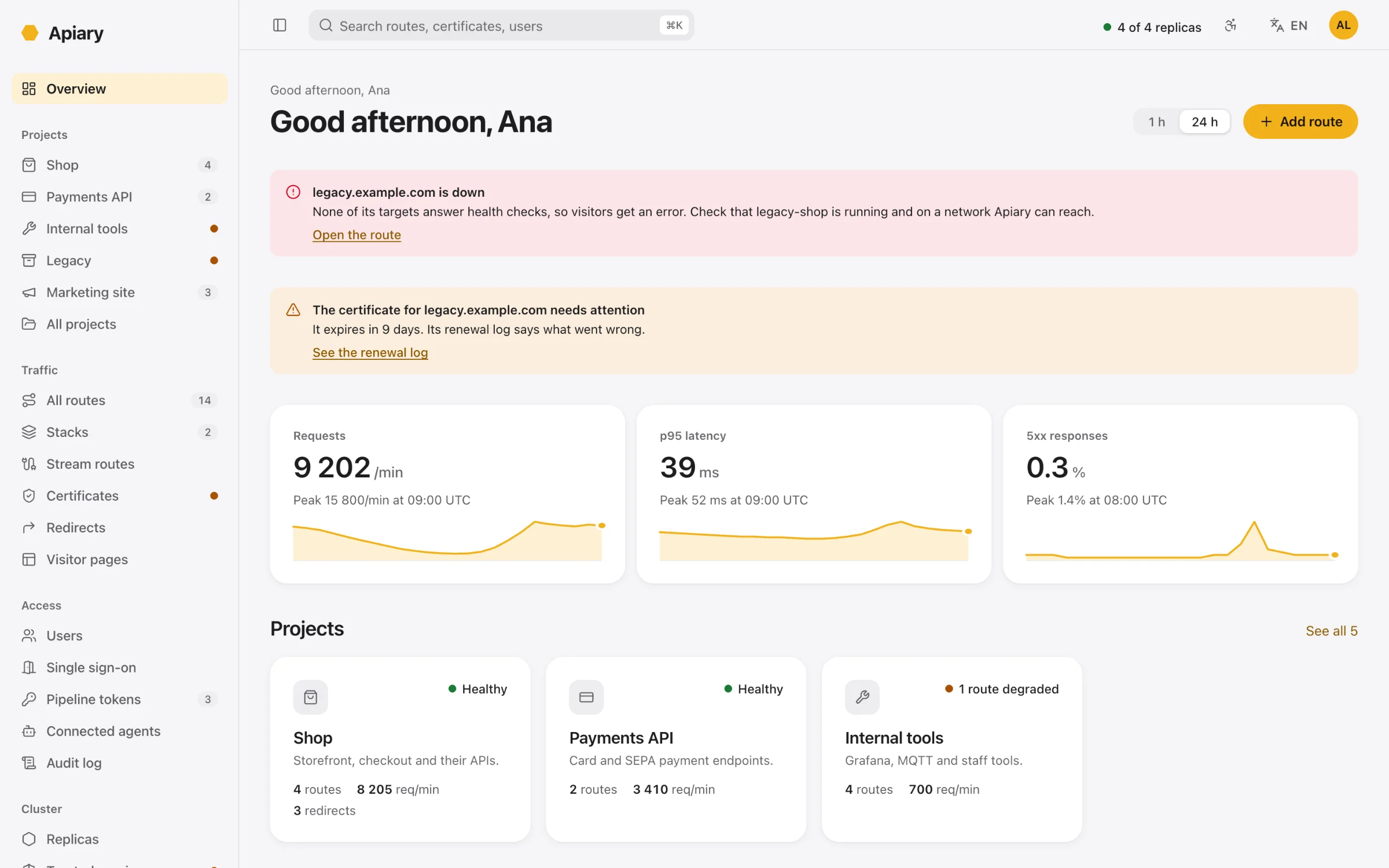
Every change tells you how many replicas applied it. Every risky action tells you what keeps working and what stops. Light and dark, keyboard first, designed for WCAG 2.2 AA.

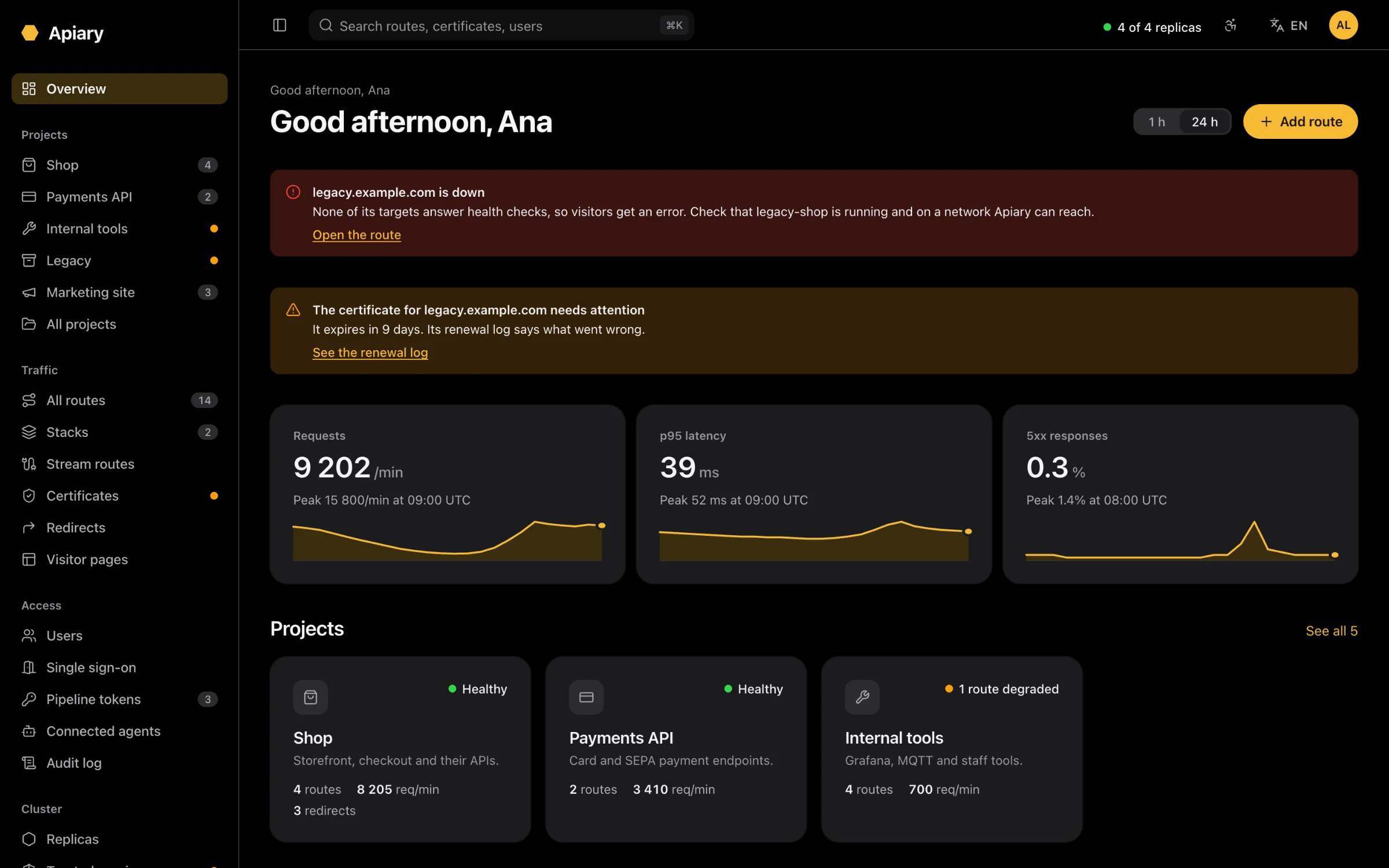
Apiary's overview: an alert that legacy.example.com is down, a certificate that needs attention, request rate, latency and error charts, and project cards.Apiary's overview: an alert that legacy.example.com is down, a certificate that needs attention, request rate, latency and error charts, and project cards.
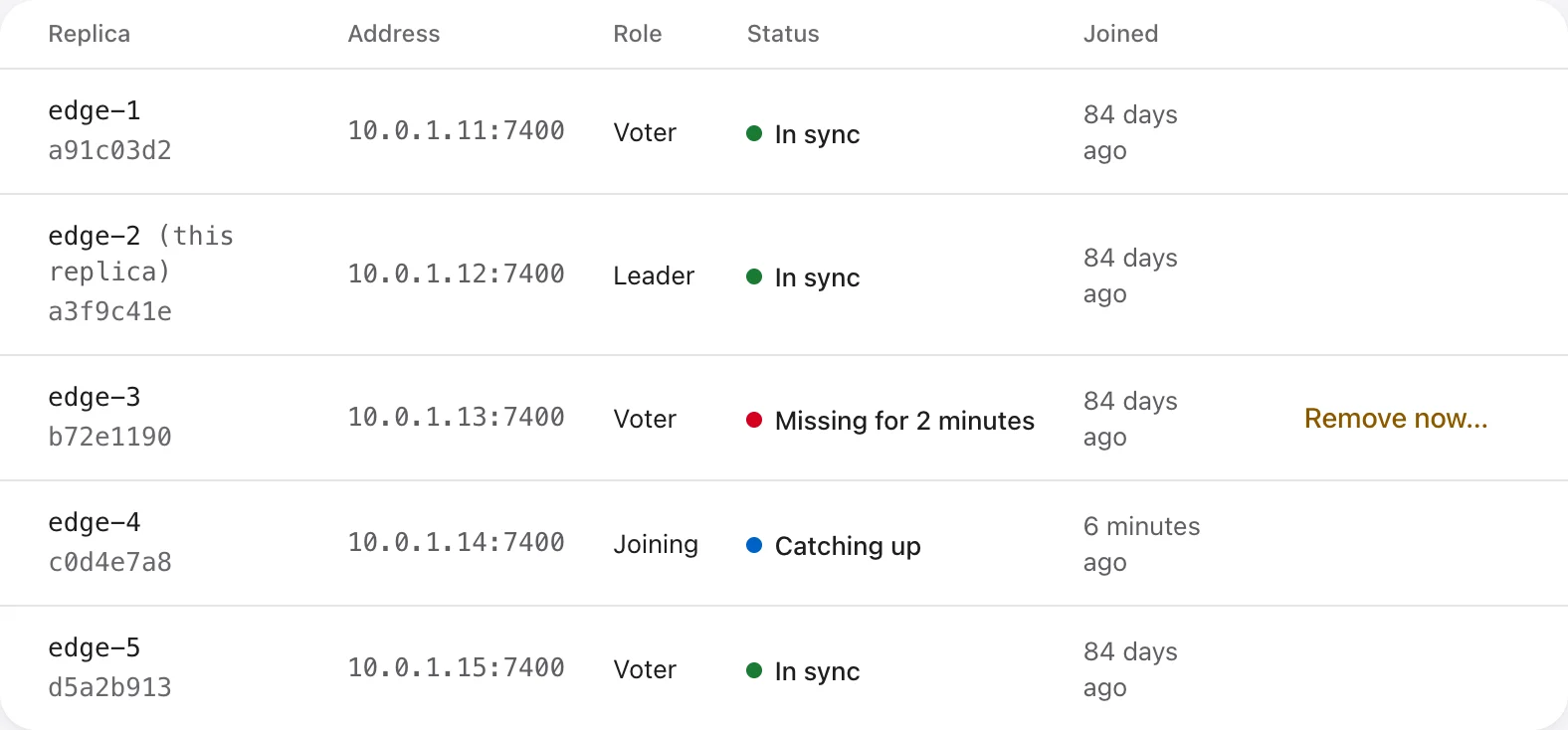
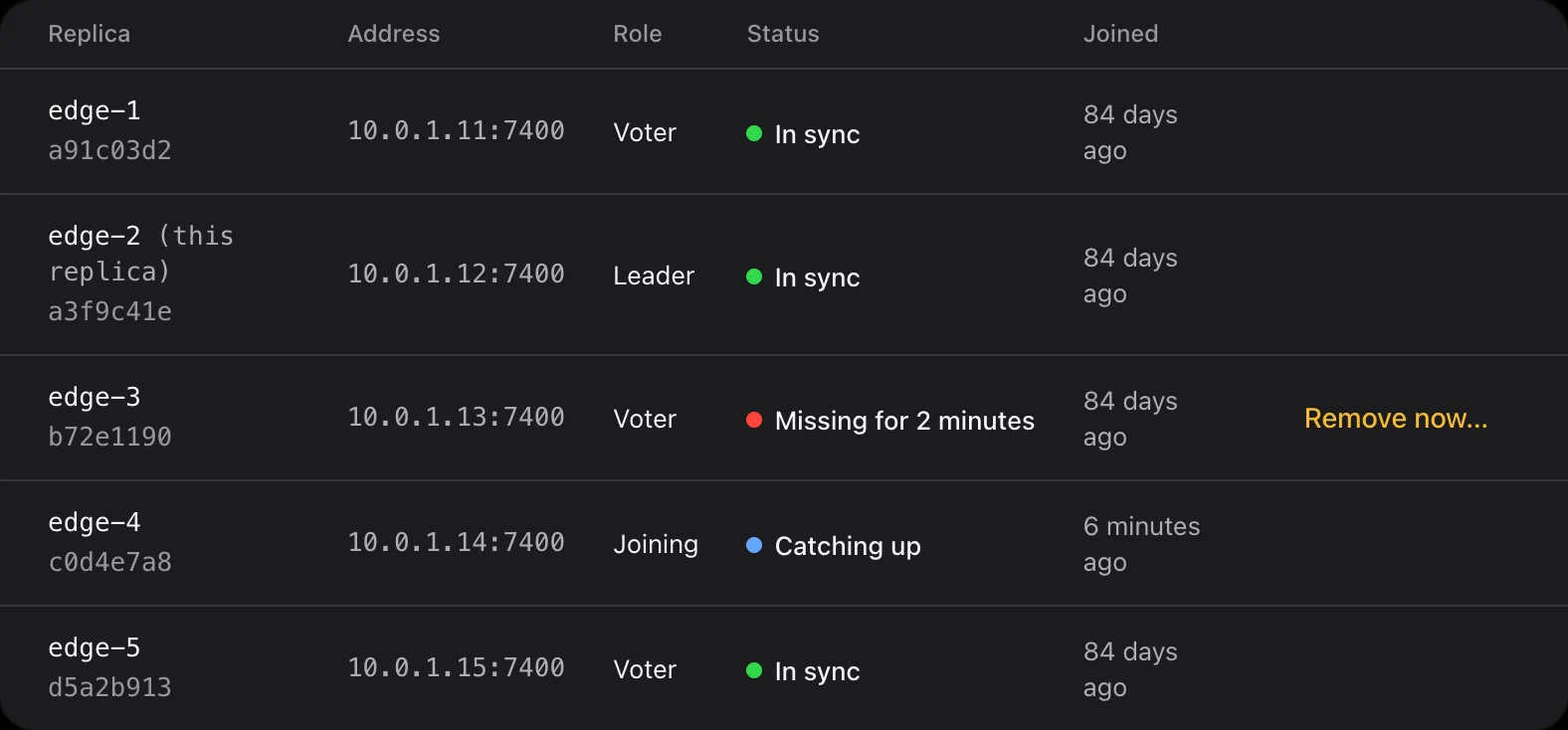
The replicas table: edge-2 leads, edge-3 has been missing for 2 minutes, edge-4 is catching up.The replicas table: edge-2 leads, edge-3 has been missing for 2 minutes, edge-4 is catching up.
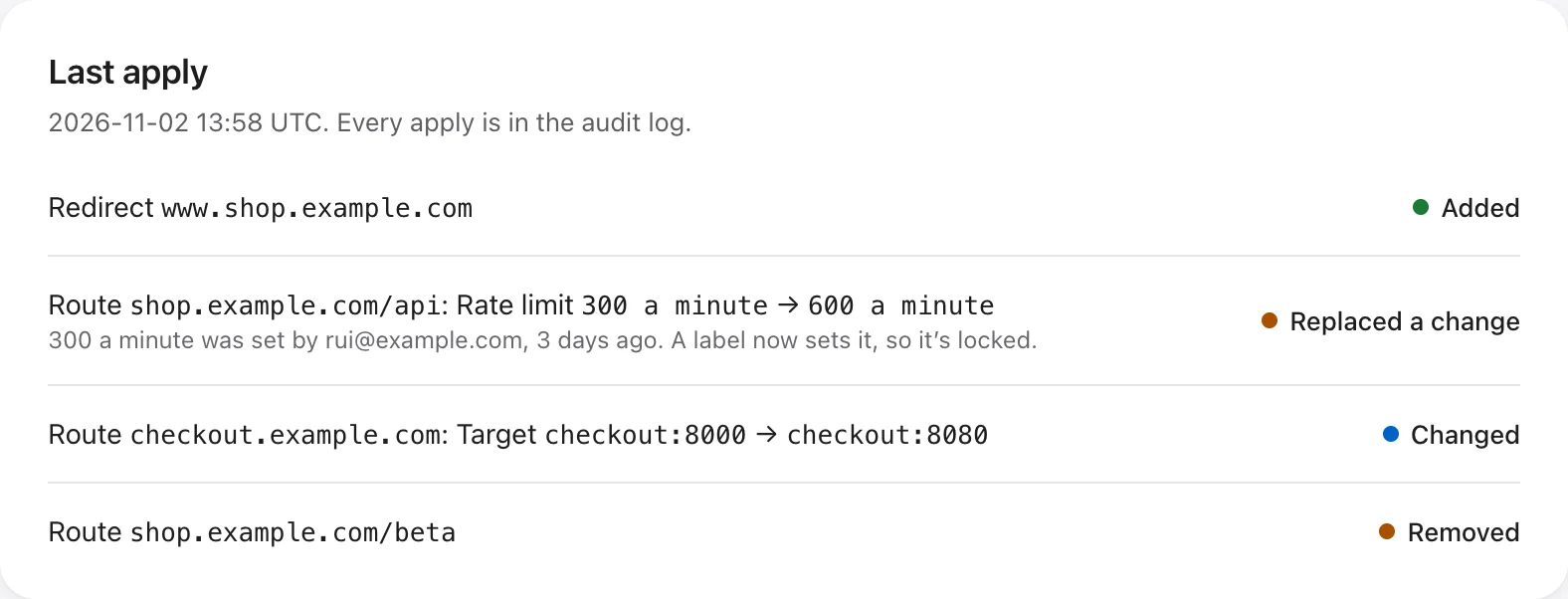
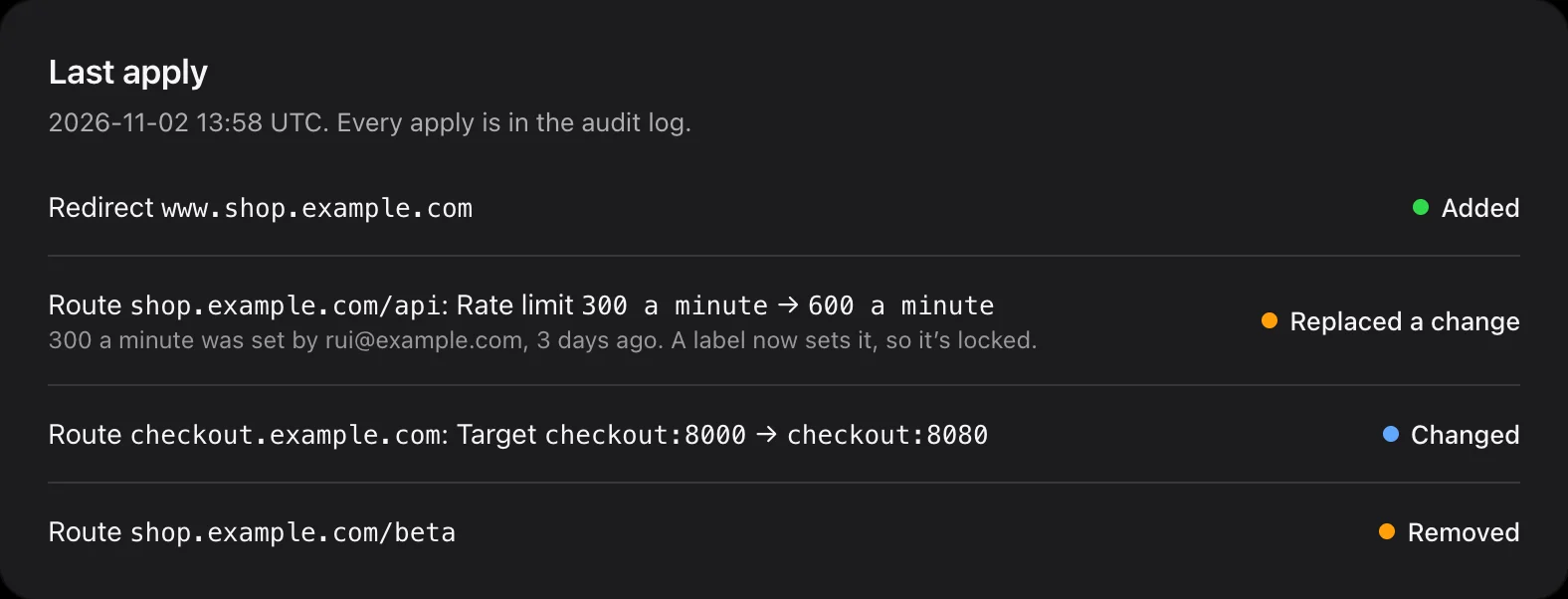
The last apply of the shop stack: a redirect added, a rate limit replaced by a label, a target changed and a route removed.The last apply of the shop stack: a redirect added, a rate limit replaced by a label, a target changed and a route removed.

What makes it different

  1. 01

    No database to run.

    Replicas agree on every change with the Raft consensus algorithm and keep their own encrypted copy of the state. No etcd, Consul, Redis or Postgres next to it.

    RaftEncrypted at rest

  2. 02

    Traffic never waits for a majority.

    Lose most of the cluster and every surviving replica keeps routing with the last routes and certificates. Only changes pause, and the interface says so in plain words: “Changes are paused.”

    Proxying needs no quorum

  3. 03

    One secret. Then just docker stack deploy.

    Create the root key once. Replica certificates, the cluster’s certificate authority and the data keys rotate by themselves. Deploying, upgrading and scaling is a stack file and docker stack deploy.

    Self-rotating keysRolling updates

  4. 04

    It never touches the Docker socket.

    Access to the Docker API is root on your hosts, so Apiary doesn’t ask for it. Routes come from the interface, its API, your AI agents, or your stack files through your pipeline.

    Least privilege

  5. 05

    Routes live next to your services.

    Declare routes as labels in the stack file. apiary apply sends them from your pipeline in one all-or-nothing write, with a dry run for merge requests. Fields set by labels are locked in the interface.

    GitLabGitHub ActionsJenkinsAzure Pipelines

  6. 06

    Your AI agent works with your permissions. No more.

    A built-in MCP server, with Apiary as its own OAuth authorisation server. Agents sign in as you and get your role. Private keys and backups never pass through them.

    MCPOAuth with PKCE

  7. 07

    It refuses to route to itself.

    Loopback, link-local and cloud metadata addresses, and Apiary’s own ports, are refused. It checks the address each connection actually reaches, so DNS rebinding doesn’t get through either.

    SSRF protection

  8. 08

    Every change is counted and audited.

    A change and its audit entry are written in the same Raft entry, so nothing changes unrecorded: who, from where, through the interface, an agent or a pipeline.

    Audit log1-year retention by default

  9. 09

    Recovery without guesswork.

    If most replicas are lost for good, a forced recovery picks the most recent survivor, shows what may be lost before it starts, and signs everyone out, so a lost revocation can’t give access back.

    Never automatic
High availability

Built for the bad day.

Apiary runs as one replica per edge node. Some vote on changes and the rest follow, serving traffic without slowing writes down. Here is what happens when things go wrong, with three replicas.

What happensTrafficChanges
A rolling updateKeeps flowingBrief pauses
One node failsKeeps flowingAccepted
The leader failsKeeps flowingWait 2–3 seconds for a new leader
Most replicas failKeeps flowing, with the last routesPaused until they return
The network splitsKeeps flowing, maybe with older routes on one sideAccepted on the majority side

Certificates renew weeks before they expire, so a cluster that can’t take changes for a while still has time to recover. Read the failure modes

The replicas table with one replica missing and one catching up.The replicas table with one replica missing and one catching up.

Features

Everything a front door needs.

Beyond routing: the things you would otherwise script, bolt on or remember to do.

  1. HTTPS that renews itself

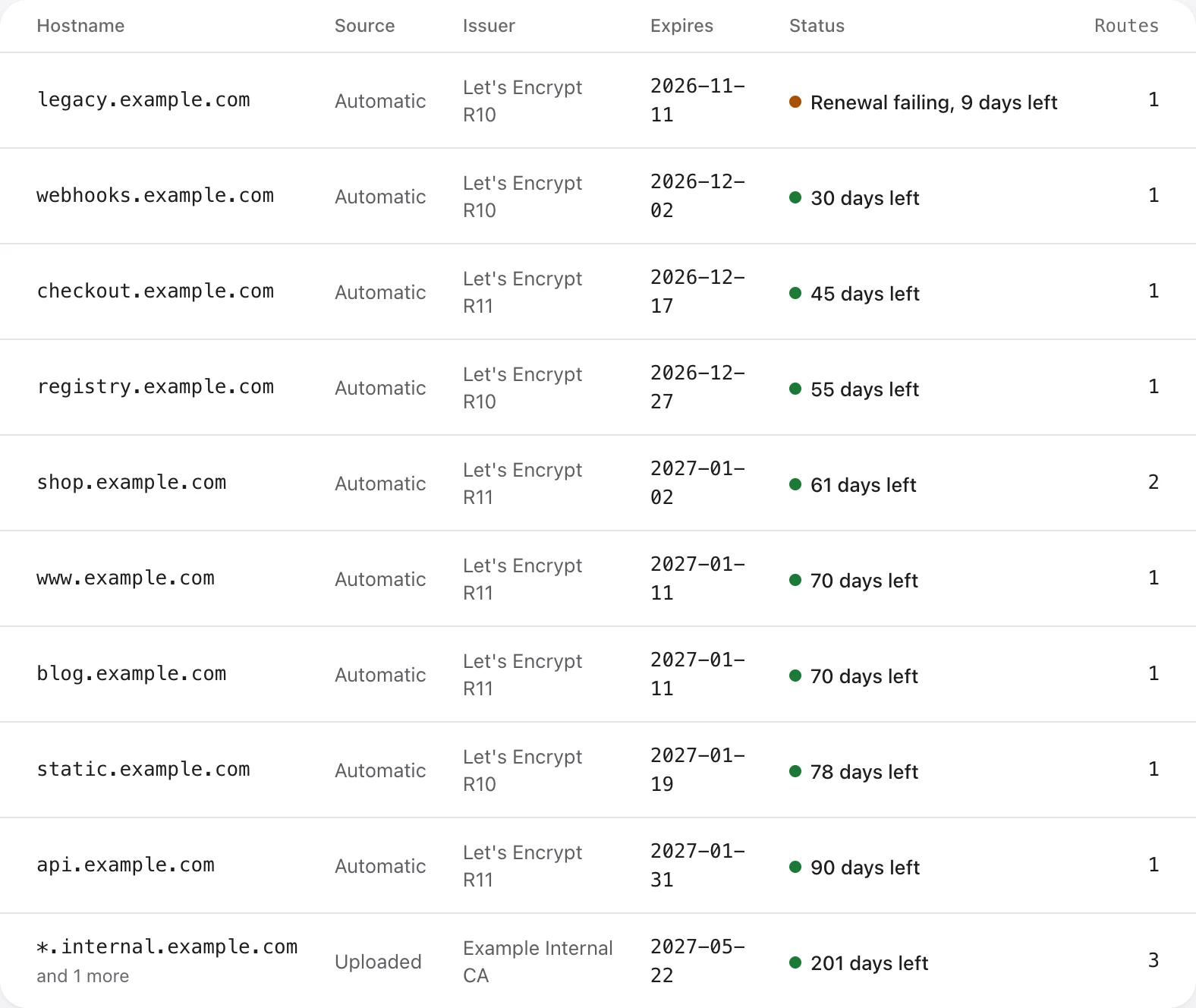
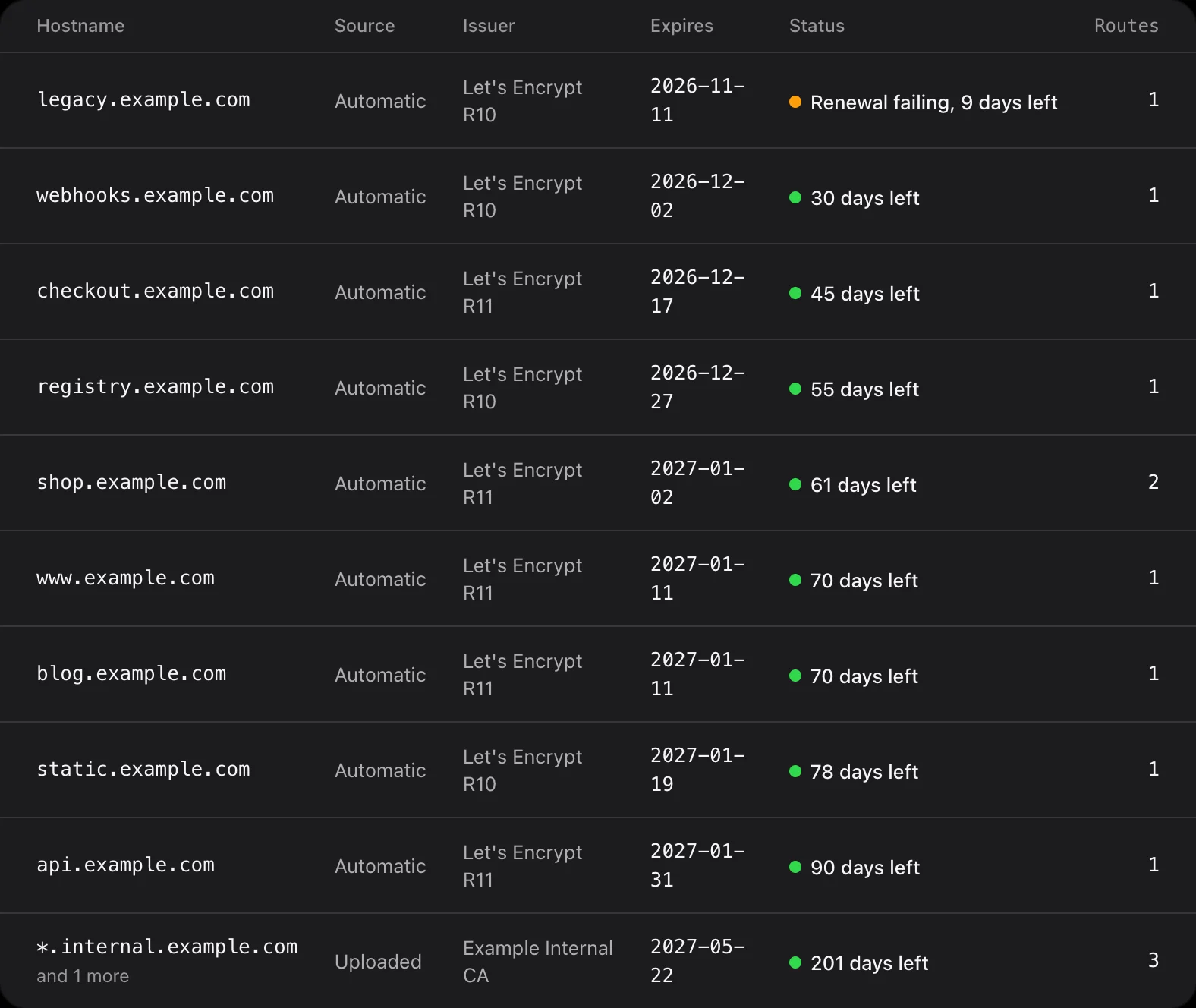
    Certificates from Let’s Encrypt, requested by one replica at a time and answered by any of them, so a lagging node never fails a check. Failures back off to stay inside Let’s Encrypt’s rate limits, and the renewal log says what went wrong. Upload your own for wildcards or an internal CA.

    Certificates in Apiary, with the days left on each and one renewal failing.Certificates in Apiary, with the days left on each and one renewal failing.
  2. Release gradually

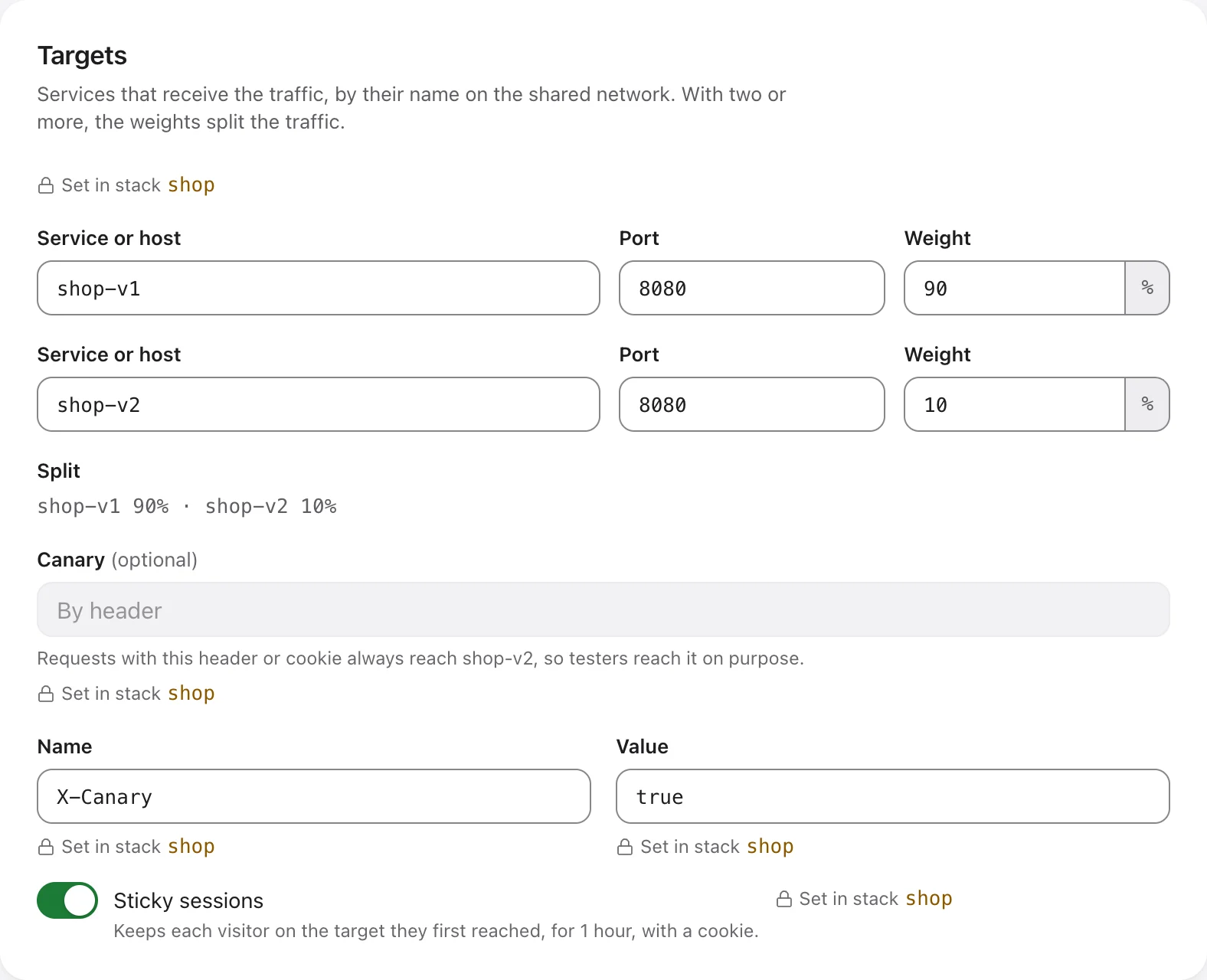
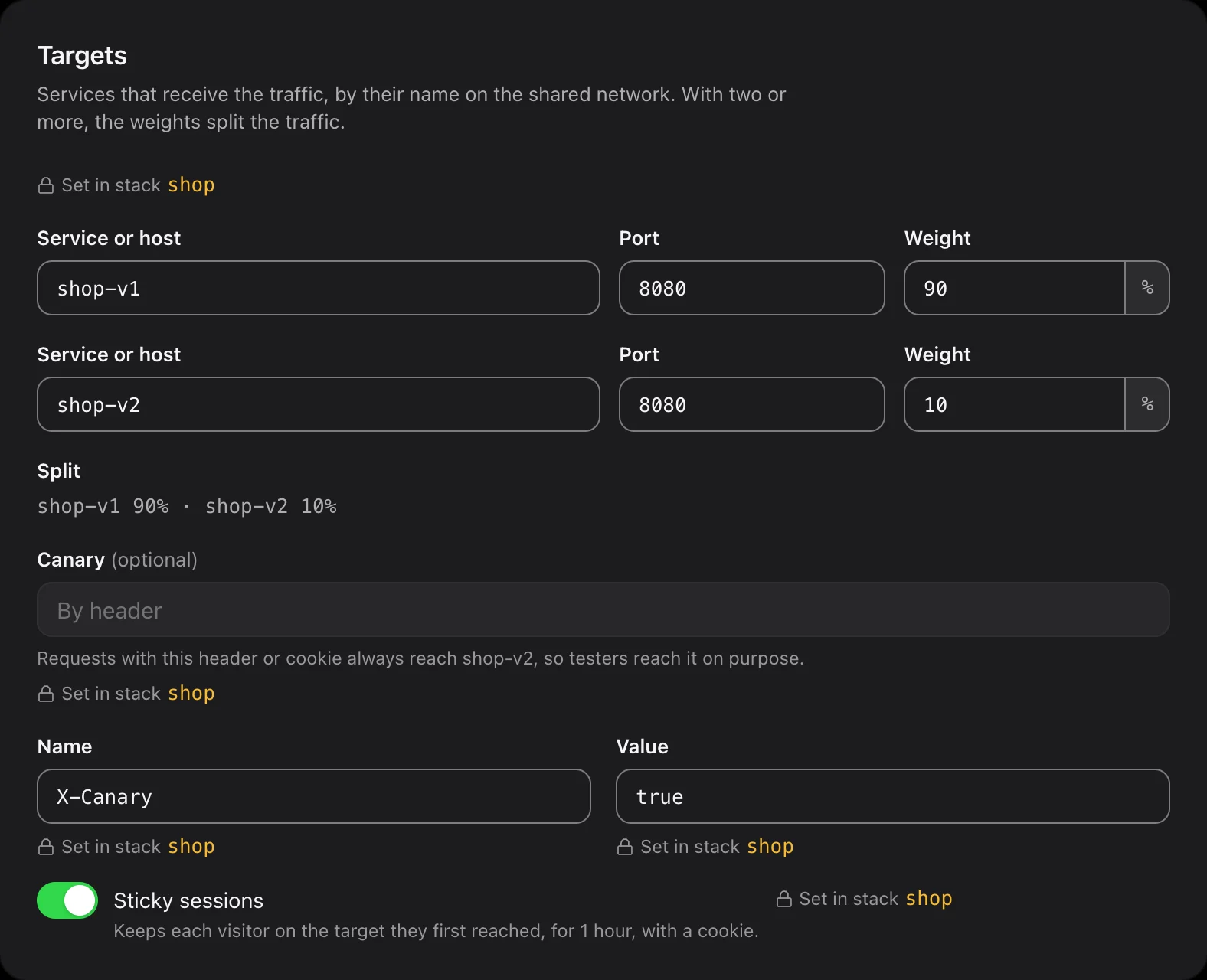
    Split a route between versions by weight, send testers to the new one with a header or cookie, and keep each visitor on the version they first reached with sticky sessions.

    Reach the canary on purpose
    curl -H 'X-Canary: true' https://shop.example.com/
    A route's targets: shop-v1 at 90% and shop-v2 at 10%, a canary header X-Canary: true, and sticky sessions on.A route's targets: shop-v1 at 90% and shop-v2 at 10%, a canary header X-Canary: true, and sticky sessions on.
  3. Routes from your stack files

    Labels on each service declare its routes, redirects and stream routes. Your pipeline runs apiary apply right after docker stack deploy, and Apiary shows each apply with its commit and pipeline.

    stack.yml
    services:  web:    image: registry.example.com/shop/web:2.4.0    networks: [apiary]    deploy:      labels:        apiary.project: Shop        apiary.route.site.host: shop.example.com        apiary.route.site.port: "8080"        apiary.route.api.host: shop.example.com        apiary.route.api.path: /api        apiary.route.api.port: "8081"
    The last apply of a stack, listing what was added, changed, replaced and removed.The last apply of a stack, listing what was added, changed, replaced and removed.
  4. Operated by your AI agents

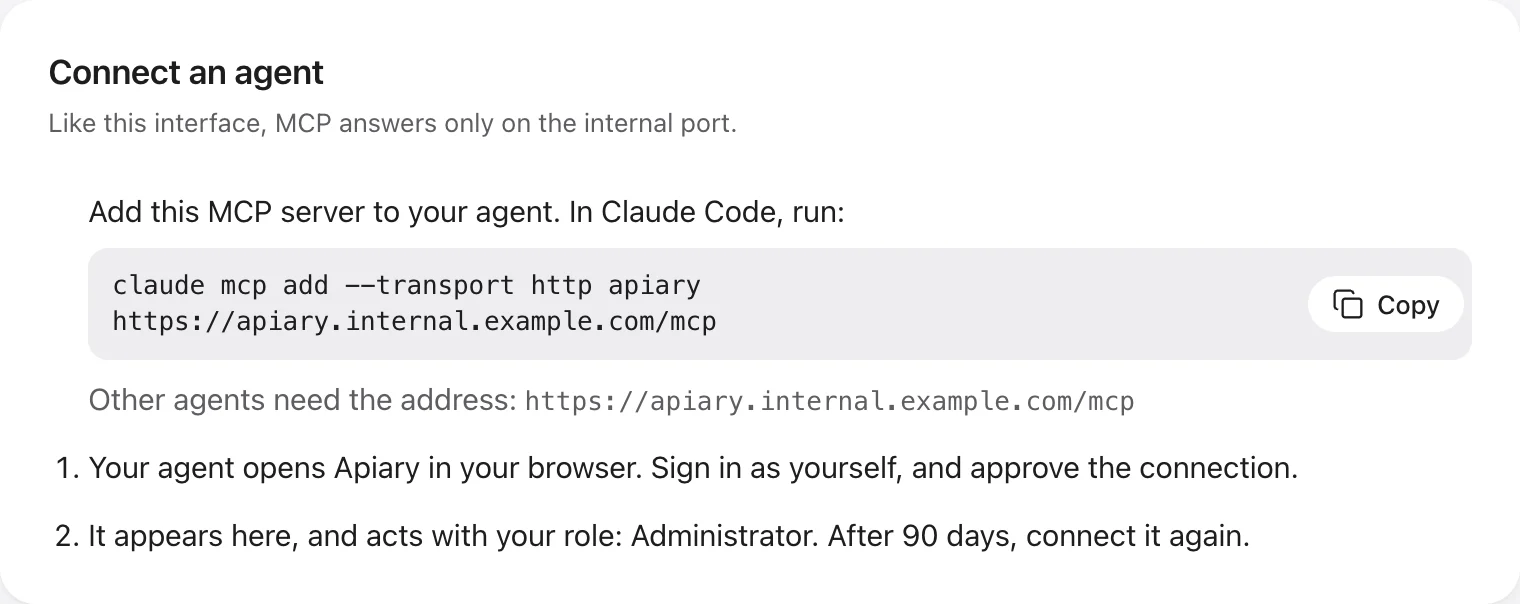
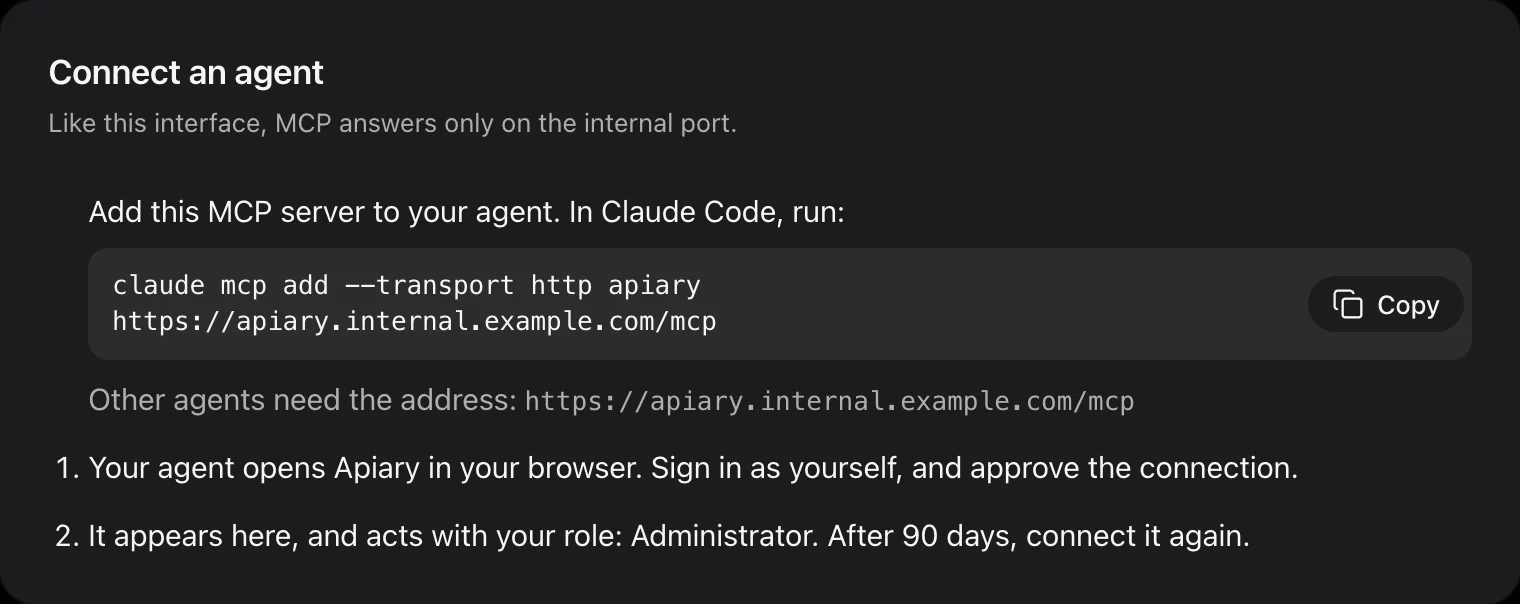
    Connect Claude Code with one command, or any MCP client with an address. The agent signs in through your browser and acts with your role, and every action it takes is in the audit log with its name.

    Connect an agent: the claude mcp add command for Apiary's MCP endpoint, and the two steps that follow.Connect an agent: the claude mcp add command for Apiary's MCP endpoint, and the two steps that follow.
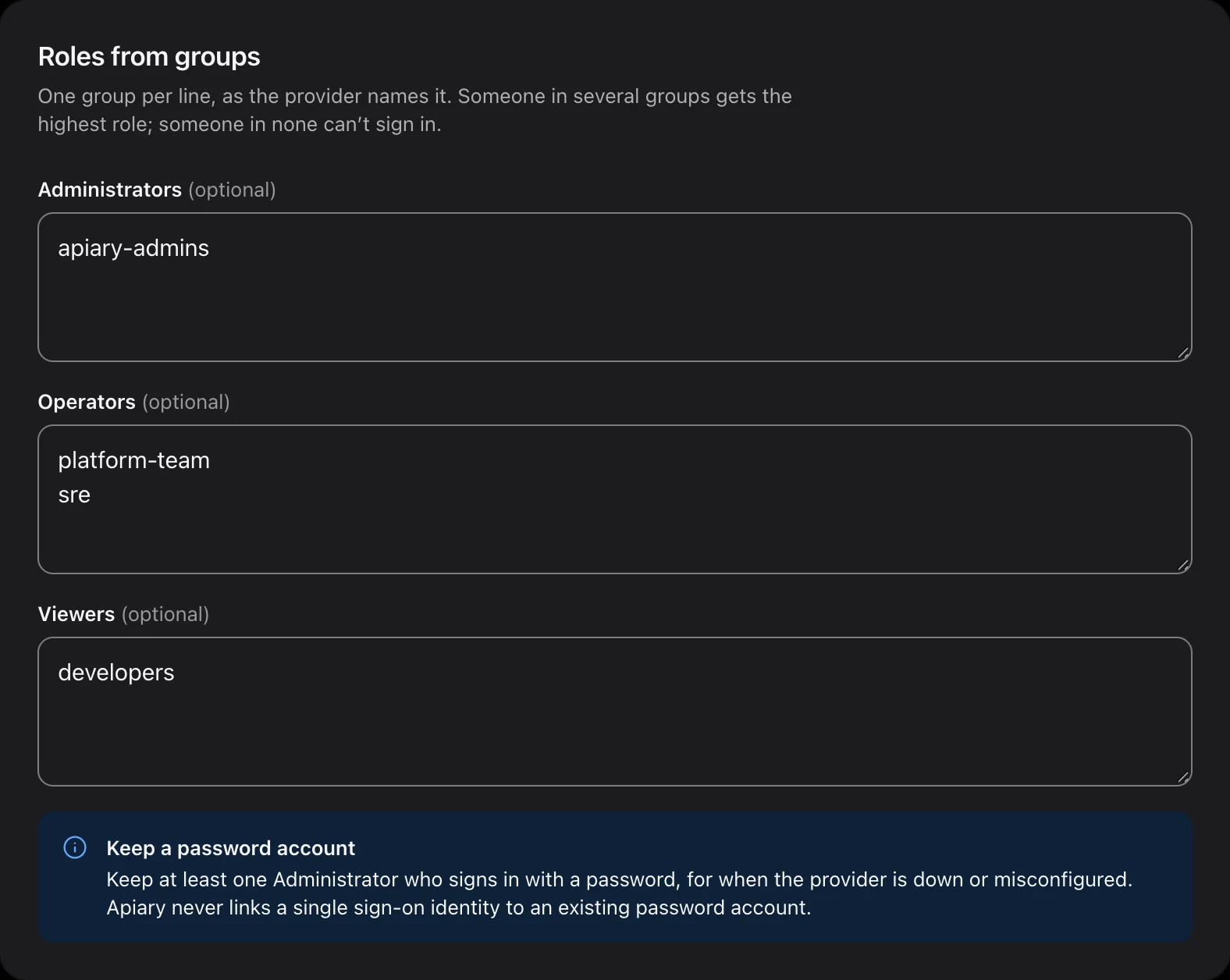
  5. Single sign-on, with a way back in

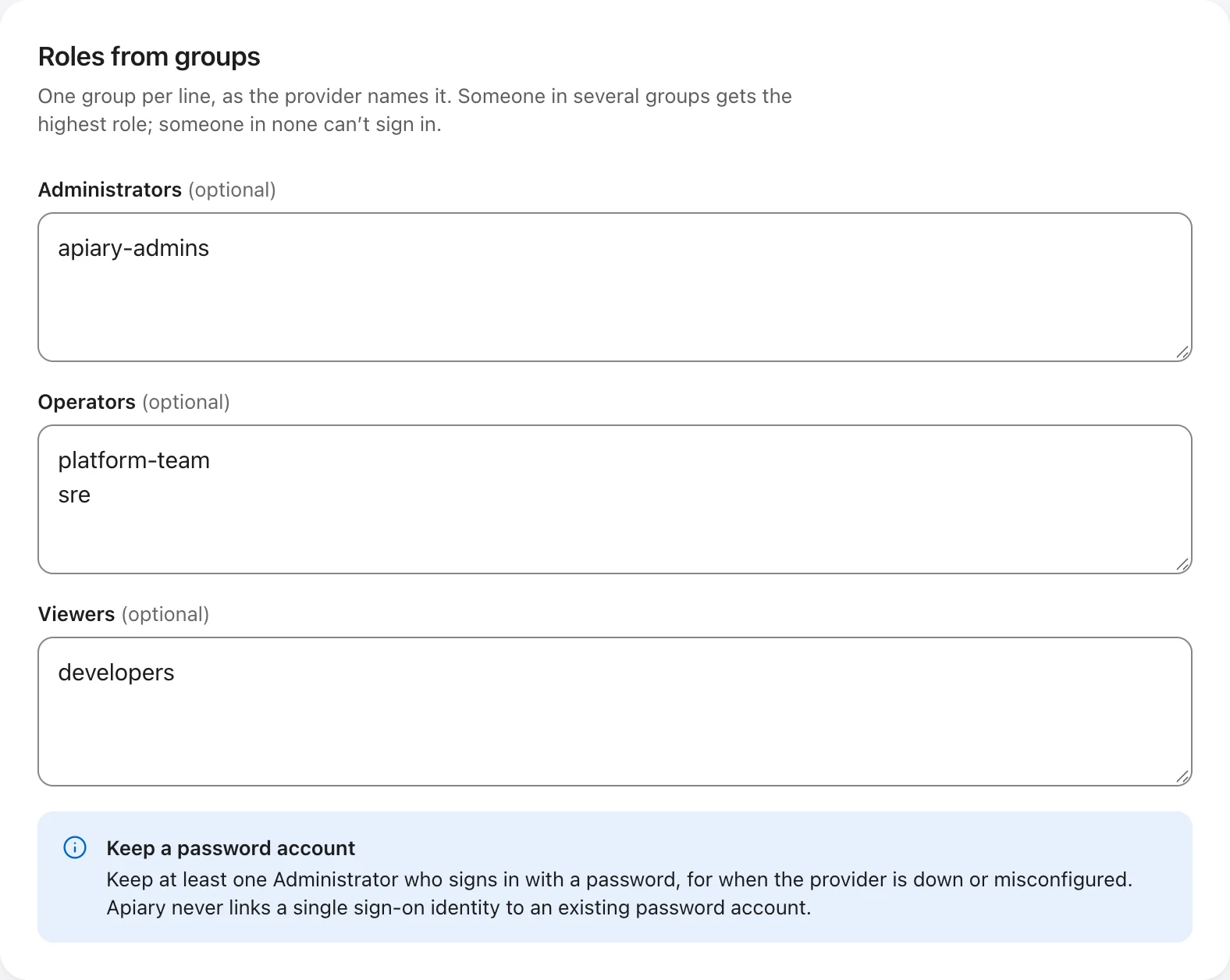
    Sign in with OpenID Connect providers such as Entra ID or Keycloak, with roles mapped from groups. Local accounts stay as a break-glass way in, with an authenticator app required for every one.

    Roles from groups: apiary-admins are Administrators, platform-team and sre are Operators, developers are Viewers.Roles from groups: apiary-admins are Administrators, platform-team and sre are Operators, developers are Viewers.
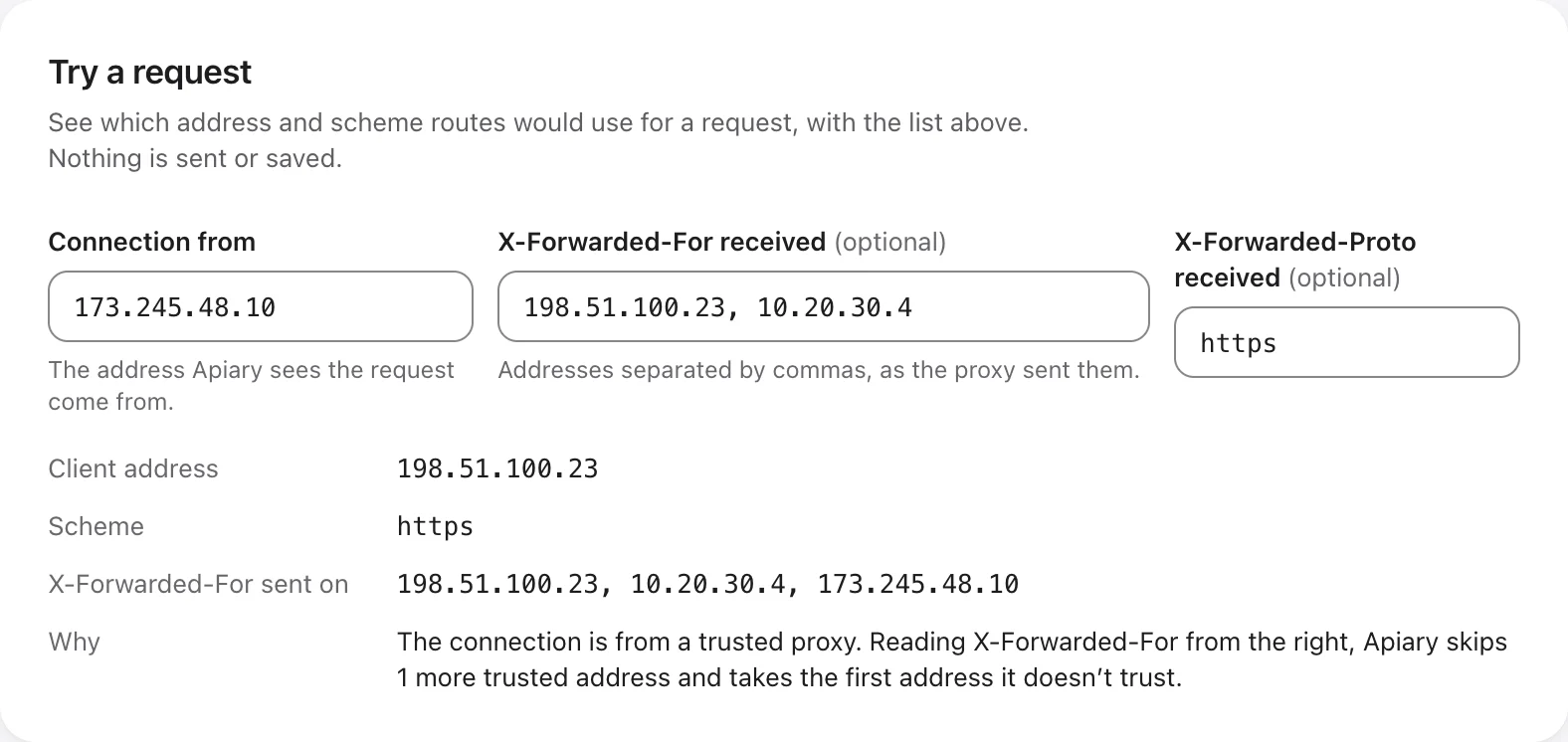
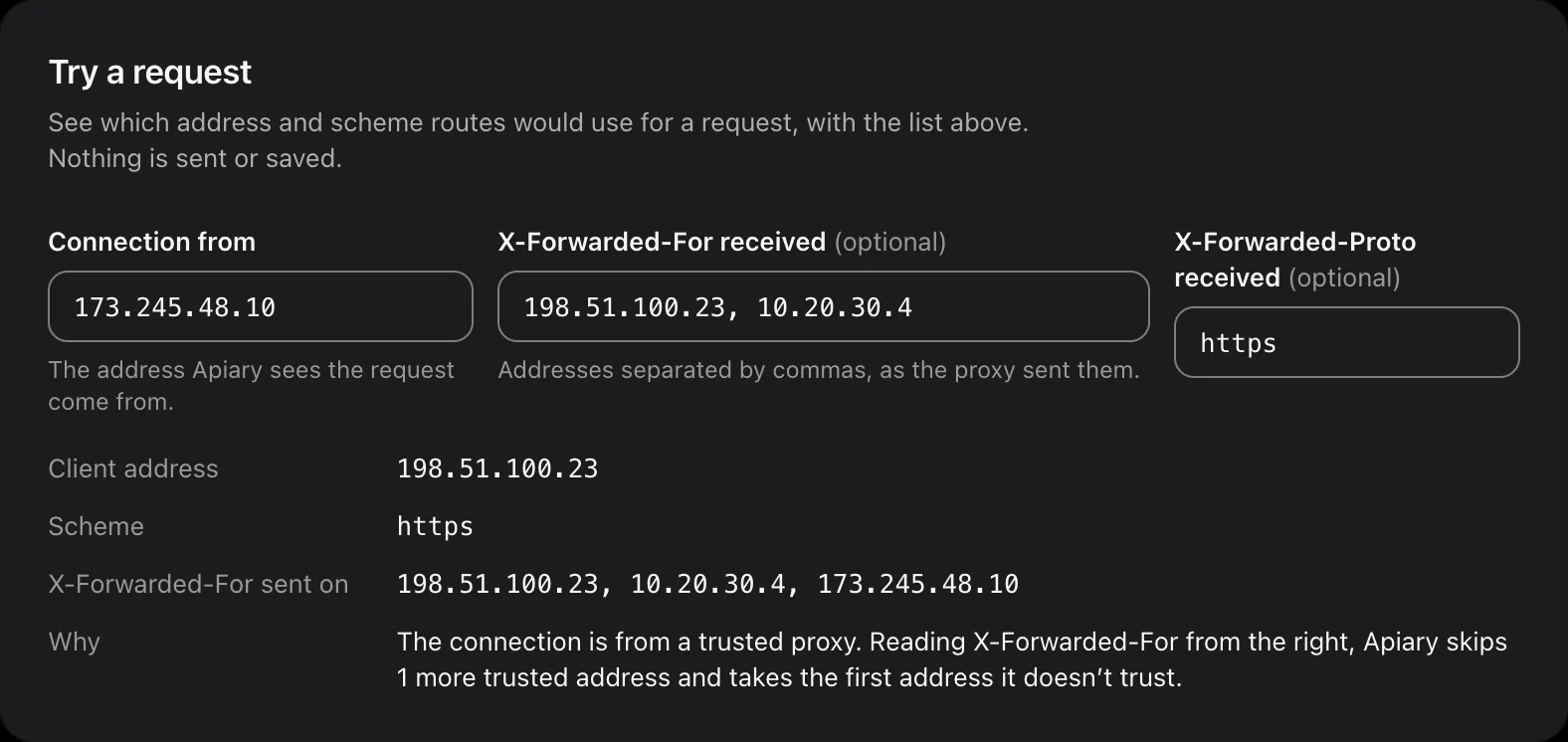
  6. Behind a CDN or load balancer

    List your trusted proxies, and allowlists, rate limits and logs use the visitor’s real address. Try a request on the page to see exactly which address and scheme Apiary will use.

    Try a request: a connection from a trusted proxy, and the client address Apiary takes from X-Forwarded-For.Try a request: a connection from a trusted proxy, and the client address Apiary takes from X-Forwarded-For.
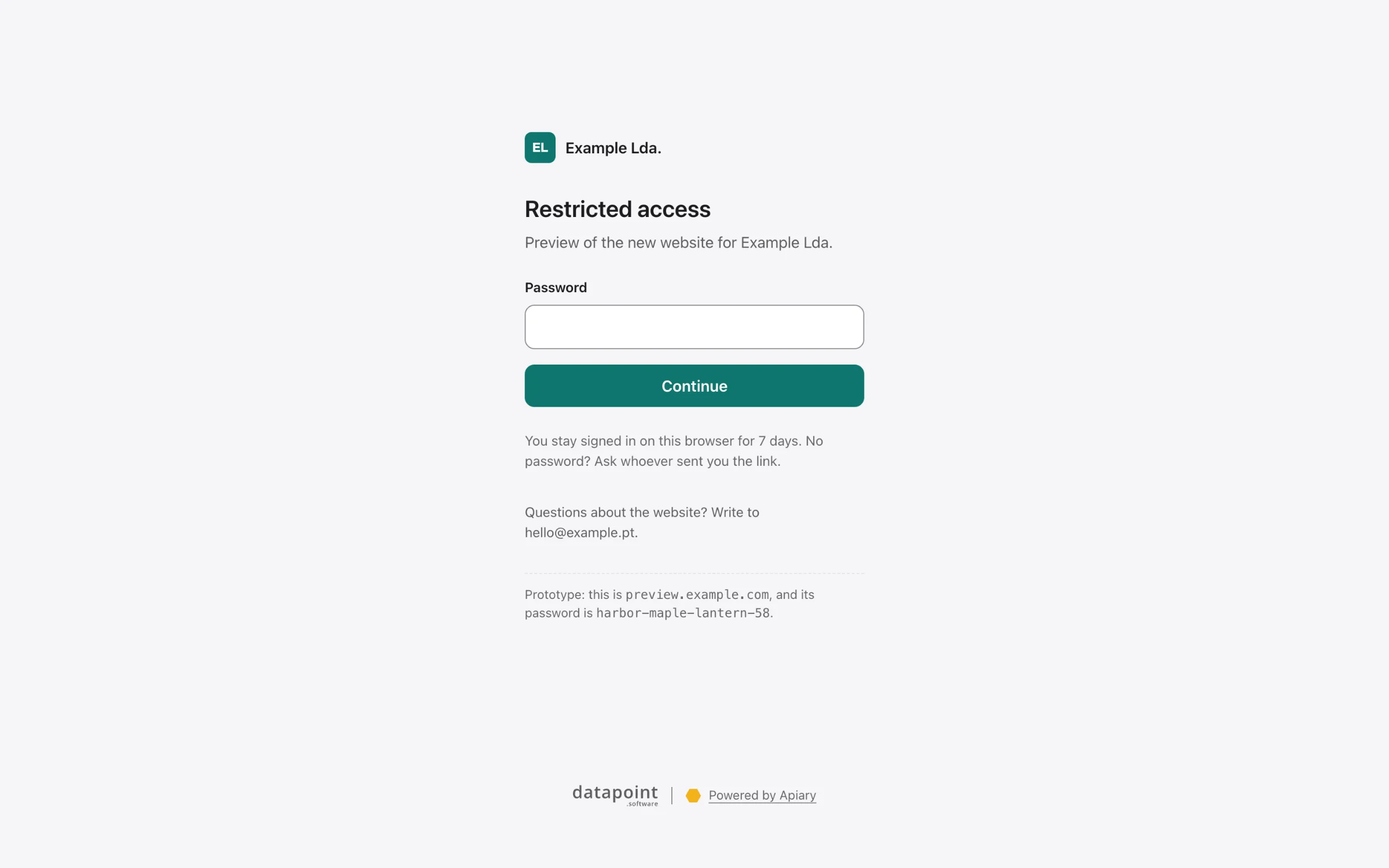
  7. Pages your visitors understand

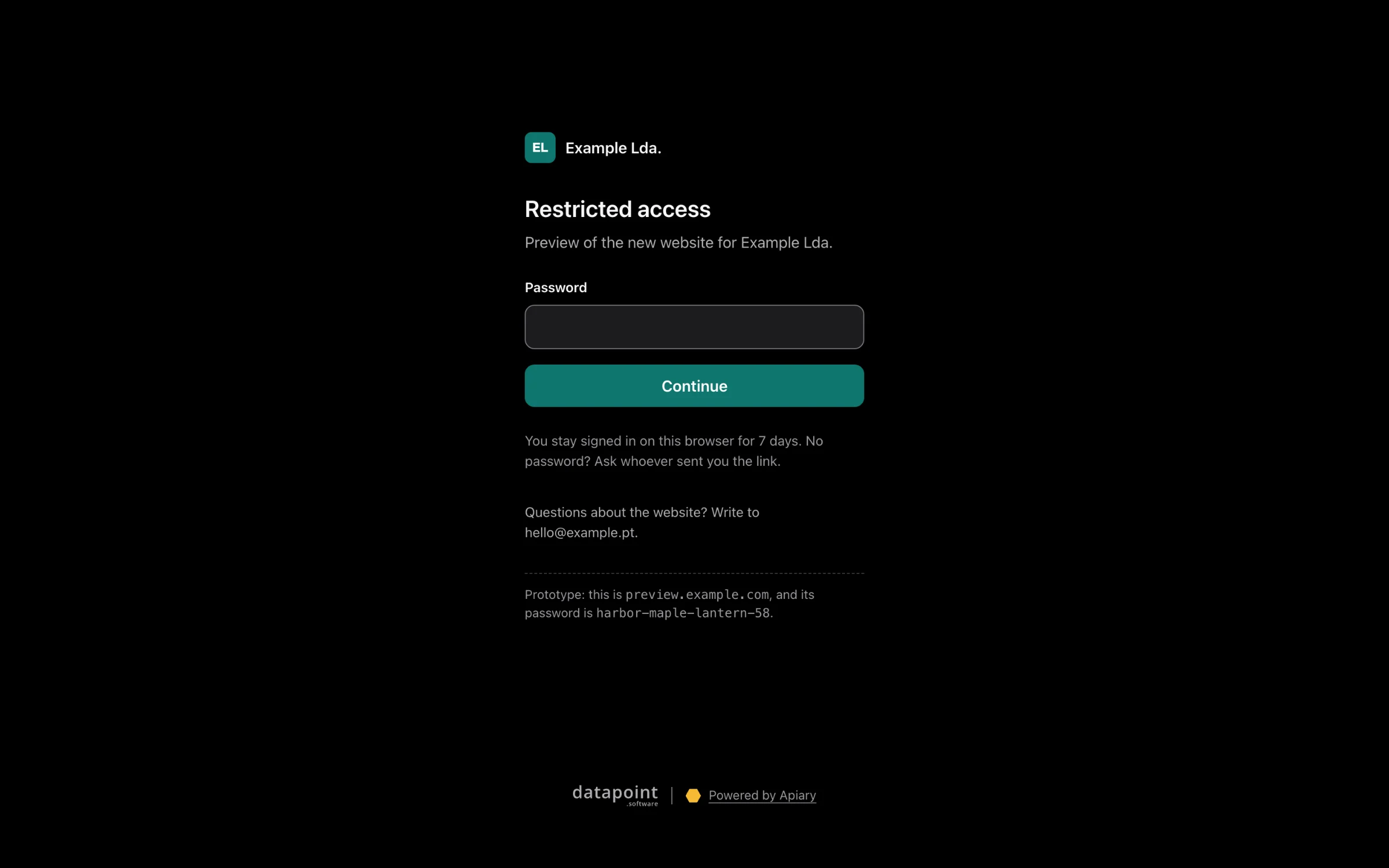
    When Apiary answers instead of a site, for maintenance, a password or a missing route, it shows a small page in your brand, with no scripts. Protect previews with a shared password or a sign-in link.

    A branded page asking for a password before reaching preview.example.com.A branded page asking for a password before reaching preview.example.com.
  8. Key rotation in one deploy

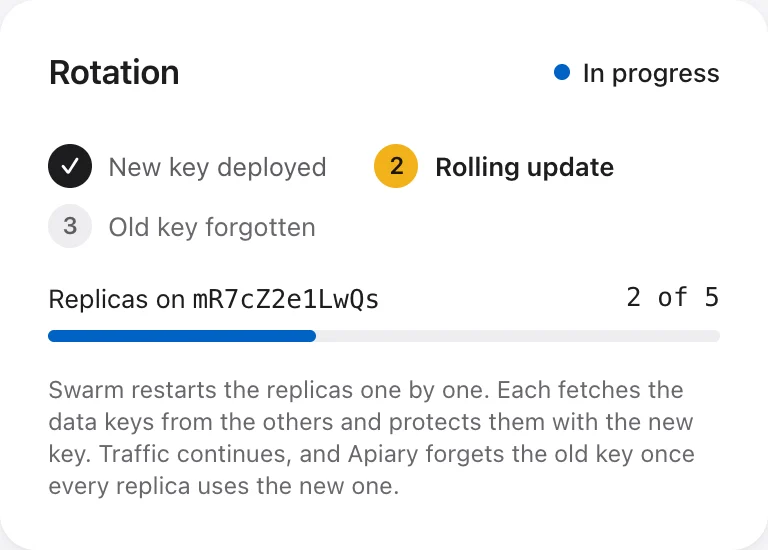
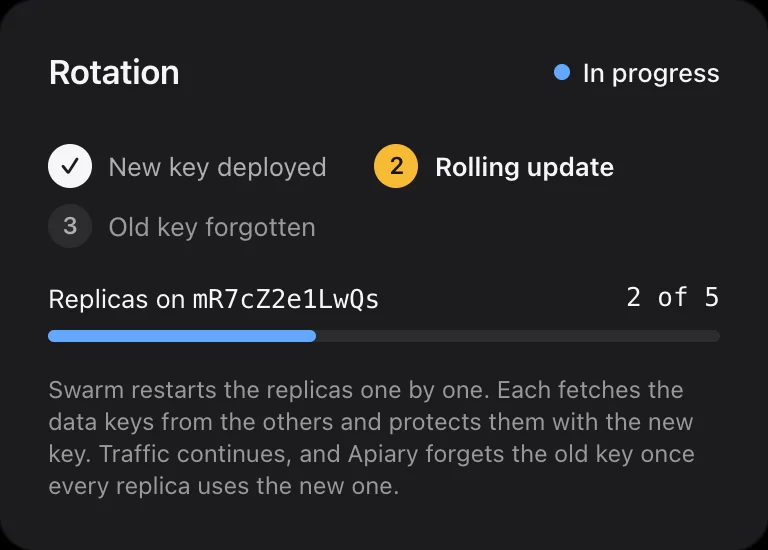
    Rotating the root key is a new Swarm secret and one docker stack deploy. Replicas move over one by one, the interface shows the progress, and Apiary forgets the old key by itself.

    Root key rotation in progress: new key deployed, rolling update with 2 of 5 replicas on the new key.Root key rotation in progress: new key deployed, rolling update with 2 of 5 replicas on the new key.

And the rest

Small things, done properly.

  • HTTP/3, HTTP/2 and WebSockets

    With HTTP to HTTPS redirects.

  • TCP and UDP routes

    Databases, MQTT, SMTP. Several TLS services on one port, chosen by SNI without decrypting.

  • Redirects

    A hostname or a path, 308 by default. Loops and redirects that would hide a route are refused.

  • Maintenance windows

    Scheduled per route, in UTC, with your own message.

  • Allowlists

    Per route, IPv4 and IPv6. Everyone else gets a 403.

  • Rate limits

    Per visitor, with IPv6 counted per /64 network, so rotating addresses doesn’t help.

  • Request size limits

    30 MB by default, up to 100 GB, or none. Uploads are streamed, never buffered.

  • Compression, caching and HSTS

    Off by default and turned on deliberately, because each has a way to hurt you.

  • Target health

    Checked every 15 seconds by every replica. A wrong verdict never takes a site offline on its own.

  • OpenTelemetry and Prometheus

    Metrics and traces over OTLP, and a /metrics endpoint on the admin port.

  • Access logs that respect privacy

    JSON lines, query strings left out, and an option to shorten IP addresses.

  • Encrypted backups

    On demand, from the interface. Restore into a new cluster.

  • Projects

    Group routes, redirects and certificates, each project with its own brand.

  • Roles

    Viewer, Operator and Administrator, for people and agents alike.

Get started

From a Swarm to HTTPS in four steps.

On a Swarm manager, with three nodes that face the internet. The full guide covers firewalls, DNS and the stack file. Read the deployment guide

  1. 01

    Mark the edge nodes

    Apiary runs one replica on each labelled node.

    On a Swarm manager
    docker node update --label-add apiary.edge=true <node>
  2. 02

    Create the root key

    Then copy it into your secret store and delete the file. It’s the only secret you’ll manage.

    On a Swarm manager
    (umask 077 && docker run --rm datapointsoftware/apiary:1.0.0-beta.4 secrets init > apiary_root_key_1)docker secret create apiary_root_key_1 apiary_root_key_1
  3. 03

    Deploy the stack

    Start from the stack file in the repository and set your admin network and Let’s Encrypt email.

    On a Swarm manager
    APIARY_VERSION=1.0.0-beta.4 docker stack deploy -c stack.yaml apiary
  4. 04

    Open the admin interface

    From your admin network only, on port 9443. The first visit creates the first administrator, with an authenticator app.

    In your browser
    https://<edge-node>:9443

Just looking? Try it on your laptop with Docker Compose:

Docker Compose
git clone https://github.com/datapoint-software/apiary.git && cd apiarydocker compose -f deploy/compose.yaml up --build

Apiary is in beta. It’s feature-complete, and some behaviour may still change before 1.0.0. Try it on a development Swarm before relying on it. Since 1.0.0-beta.1, each version upgrades the one before it in place.

Licence

Open source. Or on your terms.

Open source

AGPL-3.0

Use, change and share Apiary at no cost. Offer a modified version to others, over a network included, and you offer them its source under the same licence.

  • Every feature, nothing held back
  • The admin interface keeps the “Based on Apiary by Datapoint” attribution
  • Issues and pull requests on GitHub
Get it on GitHub

Commercial licence

On request

For organisations that build Apiary into their own product or service, or would rather not take on the AGPL’s obligations.

  • No AGPL obligations: your changes stay yours
  • No Datapoint attribution, in the admin interface or on visitor pages
  • Support and a service level agreement, from the people who build Apiary
Talk to us

or write to hello@datapoint.software

Questions

Is Apiary ready for production?

Apiary is in beta and feature-complete. Decisions made while building it are still being reviewed, so some behaviour may change before 1.0.0. Since 1.0.0-beta.1, each version upgrades the state of the one before it in place.

Do I need Docker Swarm?

For high availability, yes: three or more replicas on a Swarm. The same image also runs on a one-node Swarm, which can grow to three replicas later without moving data, or with Docker Compose on a single machine.

Why three replicas, and not two?

Changes need a majority of voters. Two replicas tolerate no more failures than one, and changes stop if either is down. Three tolerate one failure, five tolerate two.

Will my services see the visitor’s real address?

Yes. Apiary publishes its ports in Swarm’s host mode, so it sees real client addresses, and sends them on in X-Forwarded-For. Behind a load balancer or CDN, list it as a trusted proxy.

Where does the admin interface live?

On port 9443 of every edge node, which must never be reachable from the internet. It’s protected by your network firewall, an allowlist inside Apiary, and sign-in with a second factor.

What is it built with?

.NET 10 and Microsoft’s YARP for proxying, DotNext’s Raft for replication, and Angular for the interface. One image, datapointsoftware/apiary, on Docker Hub.

Who makes Apiary?

Datapoint Software, a software company in the Azores, Portugal, since 2017. We run Apiary in front of our own sites.

Put Apiary in front of your Swarm.

Questions about the commercial licence, support or a deployment? We’re happy to talk.

Accessibility

Read aloud

Text size

100%

Display

Motion and navigation

Accessibility statement