Terminal
PT Download

Alpha · 1.0.0-alpha.1

Delegate to your terminal. Never lose sight of it.

Datapoint Terminal is a desktop terminal where an AI agent works in your shell, locally or over SSH. You see every command it types, and you take over just by typing.

macOS · Linux · WindowsAnthropic · OpenAI · open-weight modelsOpen source

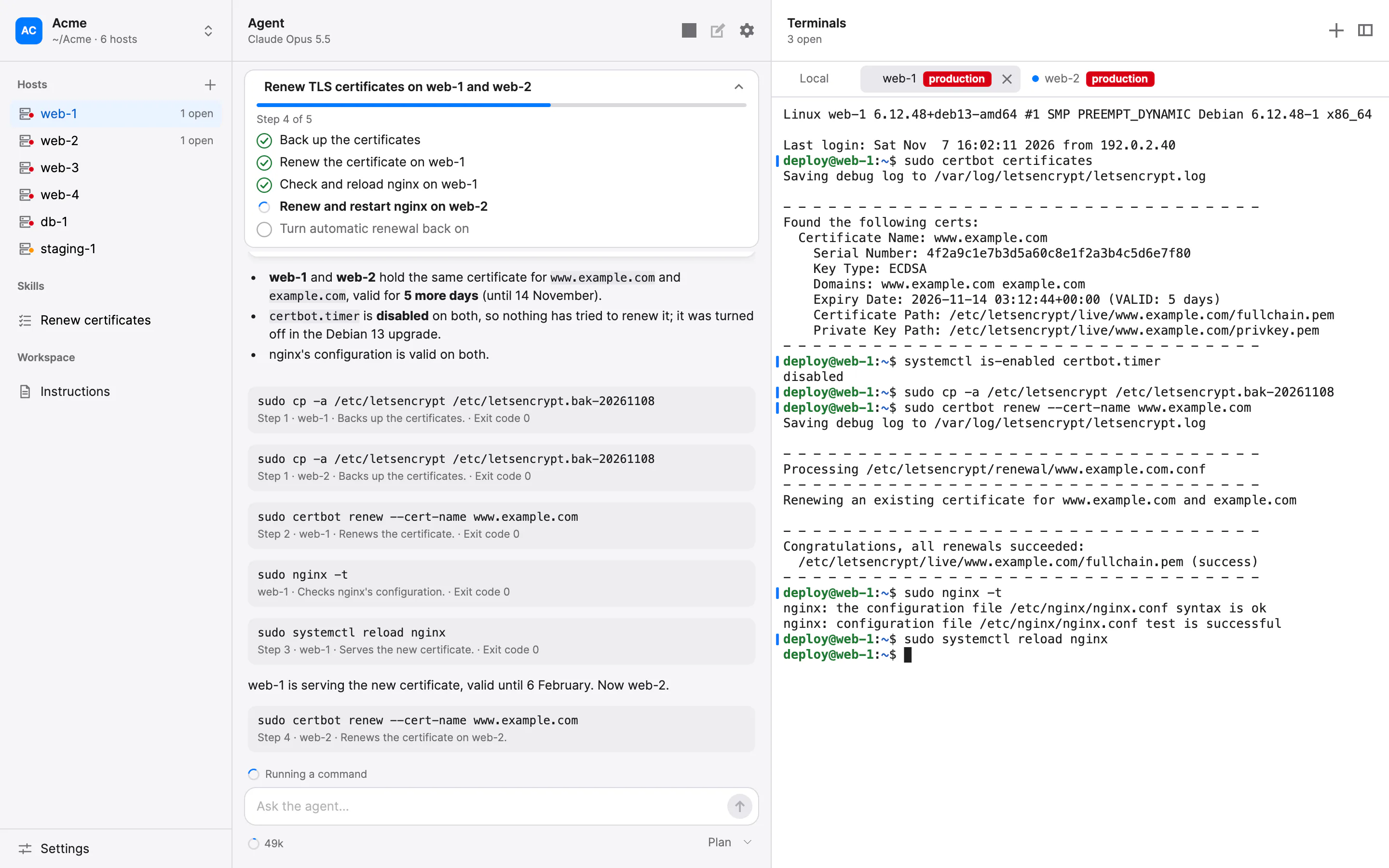
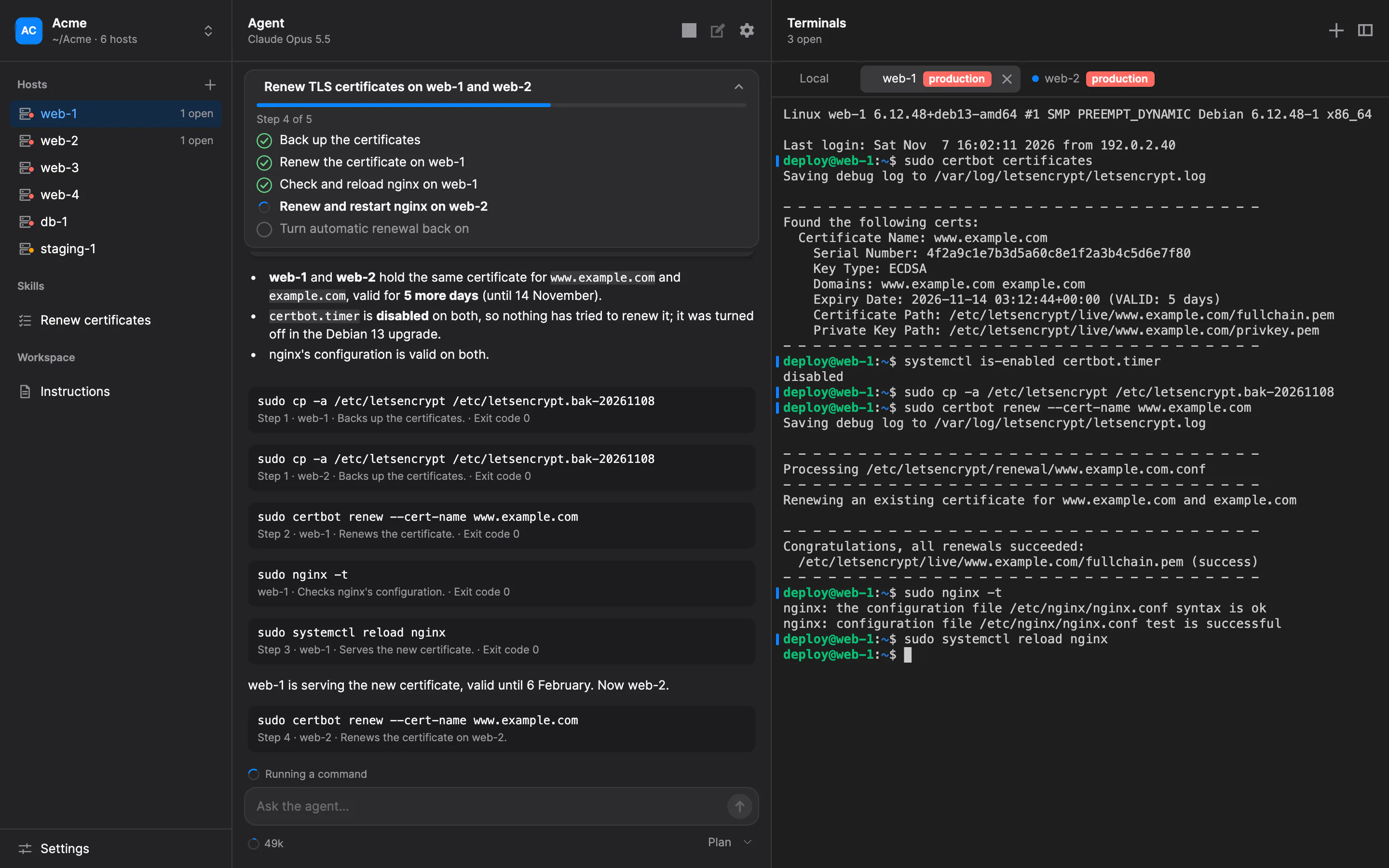
Datapoint Terminal's window: the agent's conversation, with its approved plan running, beside the terminal on the host web-1, where its commands appear as they run.Datapoint Terminal's window: the agent's conversation, with its approved plan running, beside the terminal on the host web-1, where its commands appear as they run.

In plain sight

An agent beside your terminal, not behind it.

It talks with you, asks when it needs a decision, and types into the same terminal you're looking at. Nothing it does happens out of view.

It looks first, then shows you a plan.

Before changing anything, the agent can look around with read-only commands and propose a plan: what it found, each step with its host and commands, the risky steps flagged, and how to roll back. Its steps run only once you approve it.
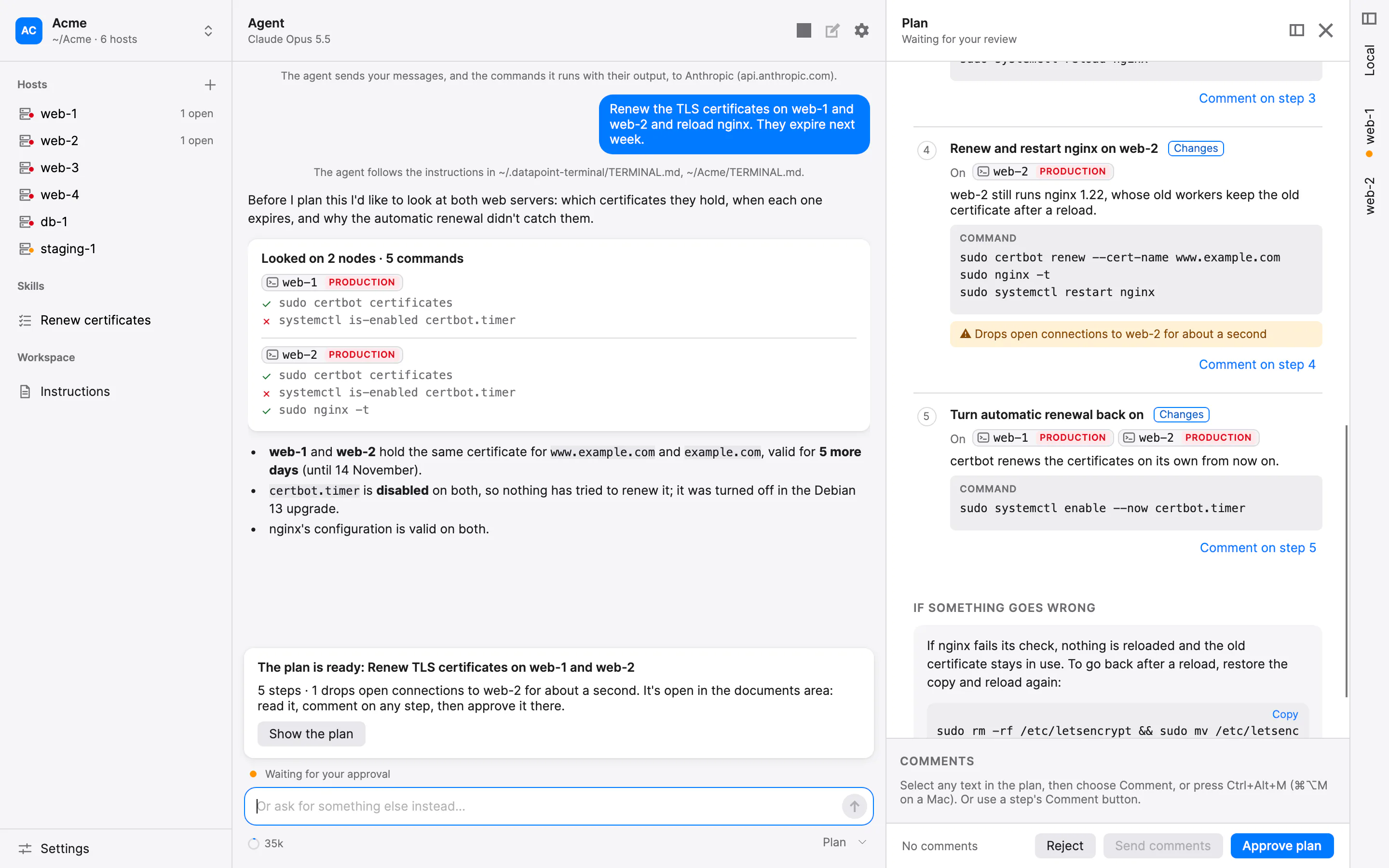
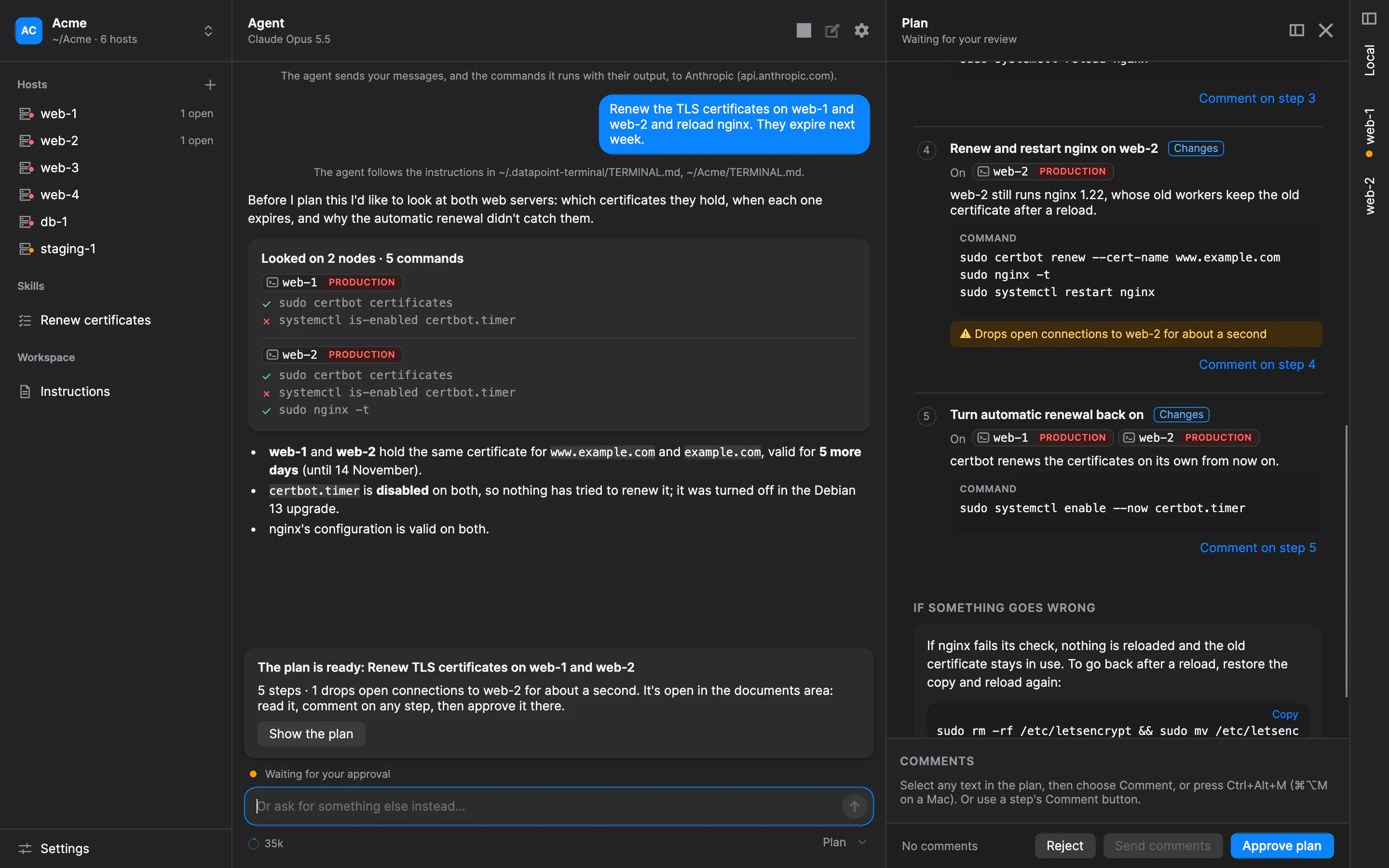
A plan open for review: findings, numbered steps with their hosts and commands, a risky step flagged, and how to roll back.A plan open for review: findings, numbered steps with their hosts and commands, a risky step flagged, and how to roll back.

It asks when it needs you.

When there's a decision to make, the agent asks in the conversation, with choices to pick from and the one it recommends marked. It never asks for a password: it asks you to type it into the terminal, so it never reaches the model.

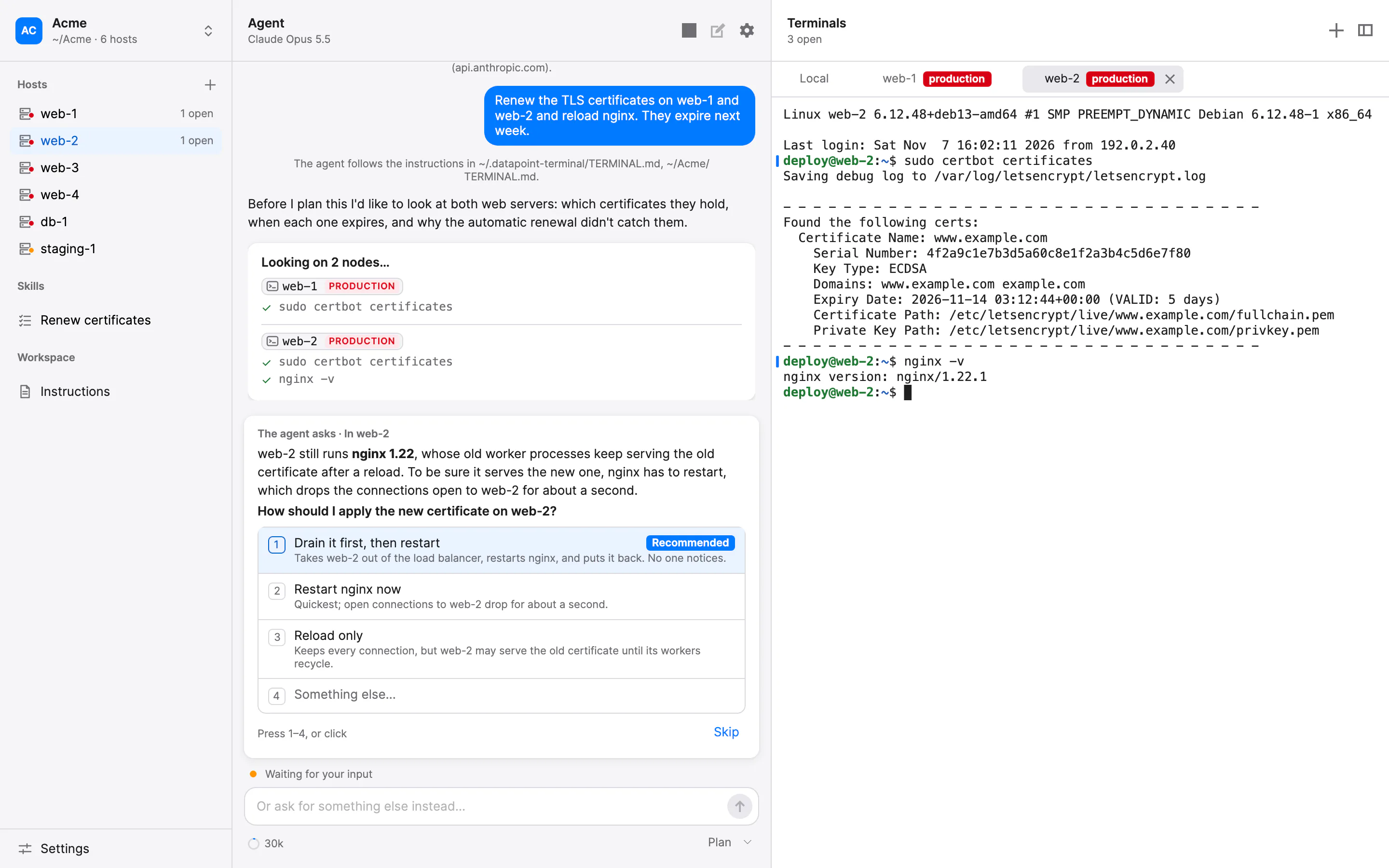
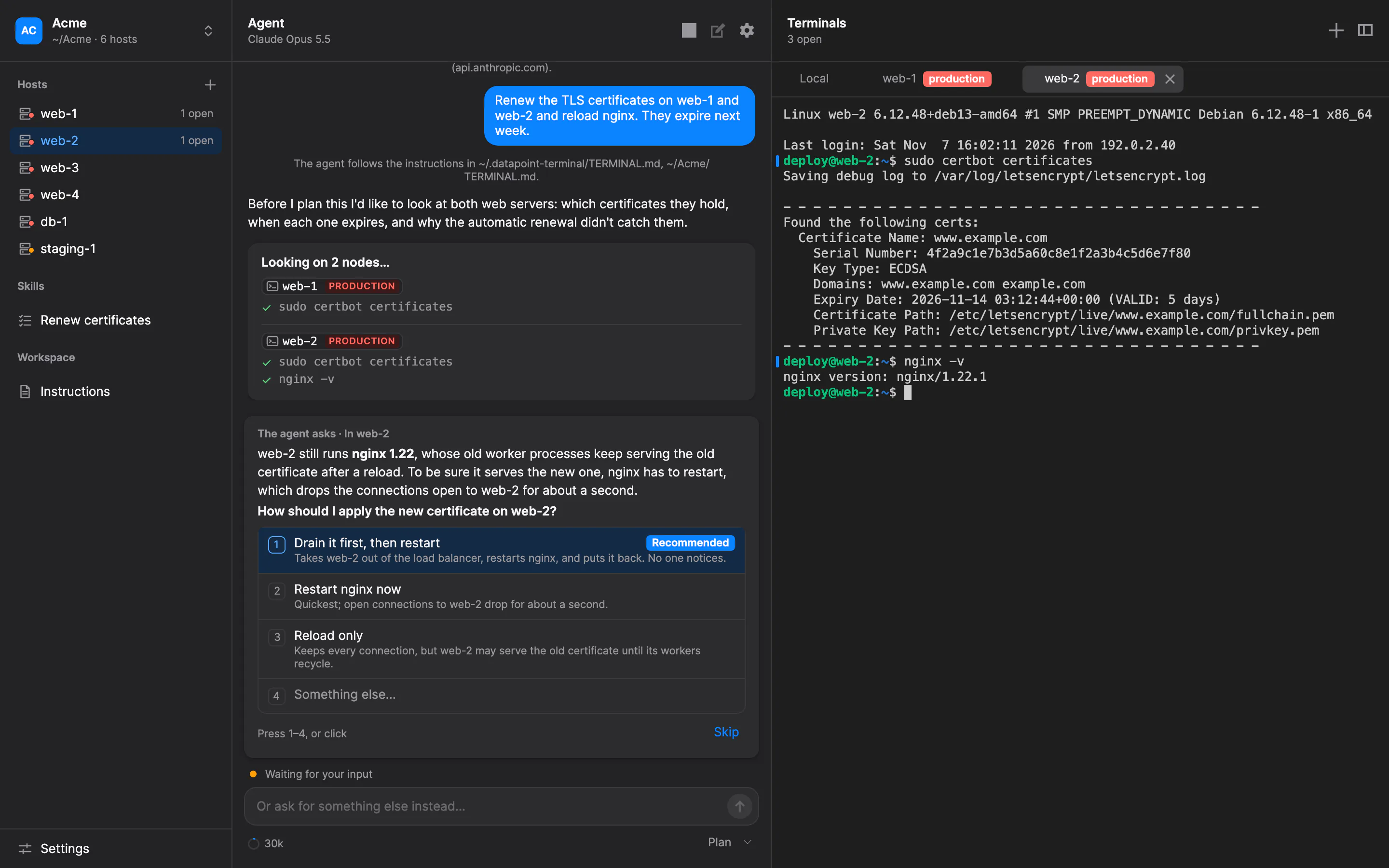
The agent's question in the conversation, with three choices and the recommended one tagged.The agent's question in the conversation, with three choices and the recommended one tagged.

Production looks like production.

Every host carries an environment label, and production stands out in red. In Ask, the default mode, each command waits for your approval, with the terminal's name and label in plain view. You can edit a command before it runs.

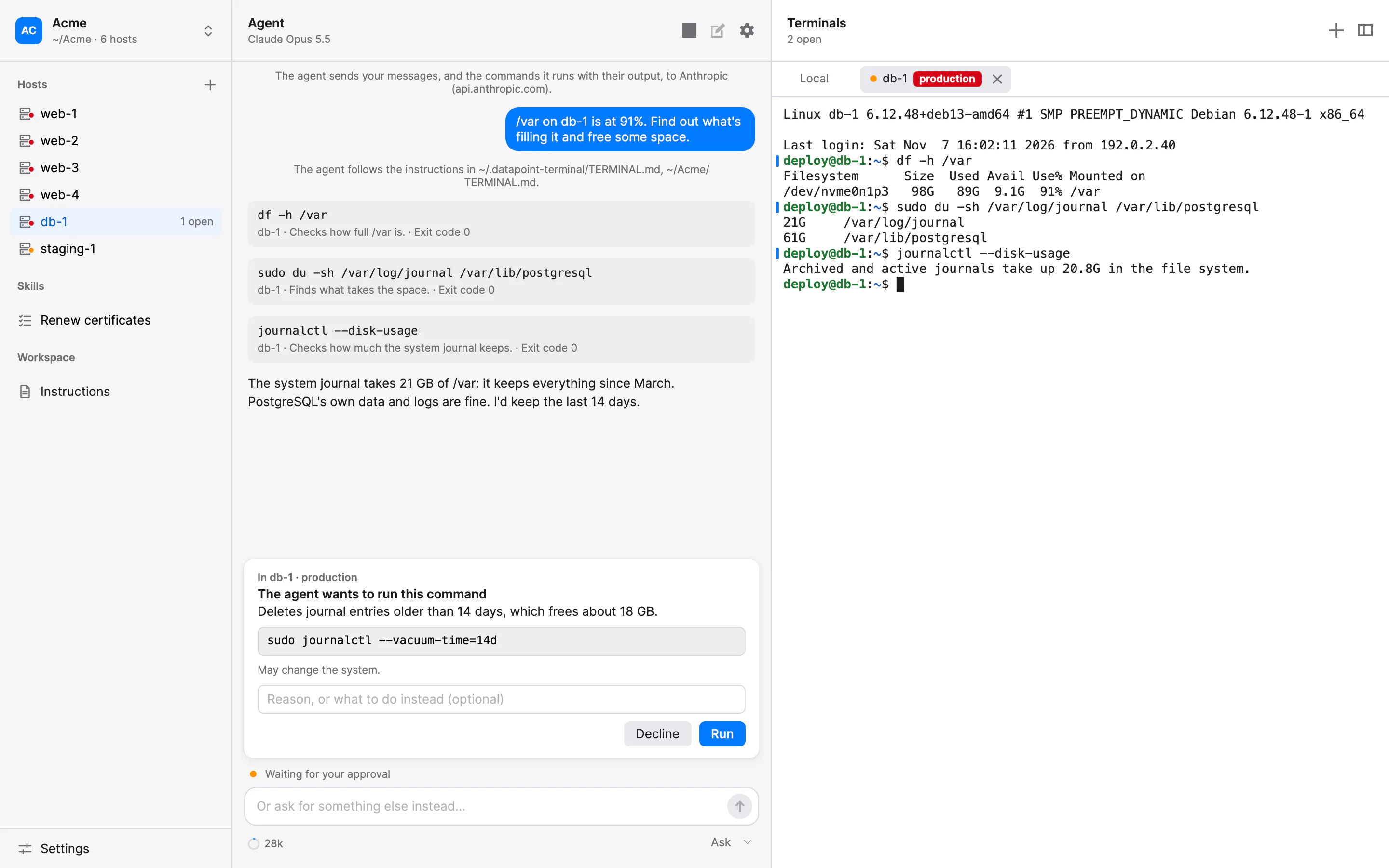
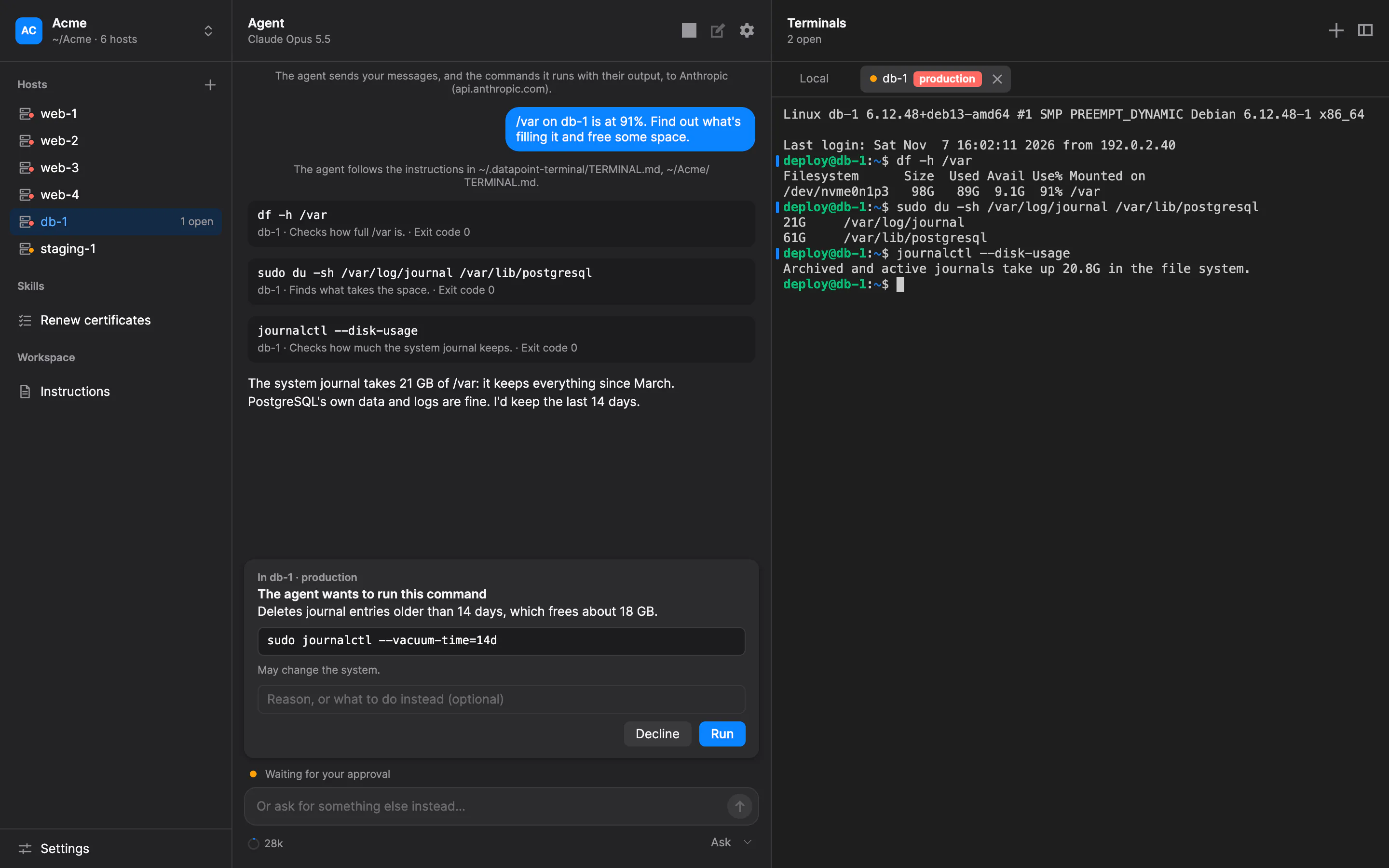
A command waiting for approval in a terminal labelled production.A command waiting for approval in a terminal labelled production.

Roll out across hosts, one at a time.

Save a task as a skill, then roll it out to the hosts that match its labels: one at a time or in batches, with a health check after each, stopping at a failure if the skill says so. The application enforces the rollout, not the model.

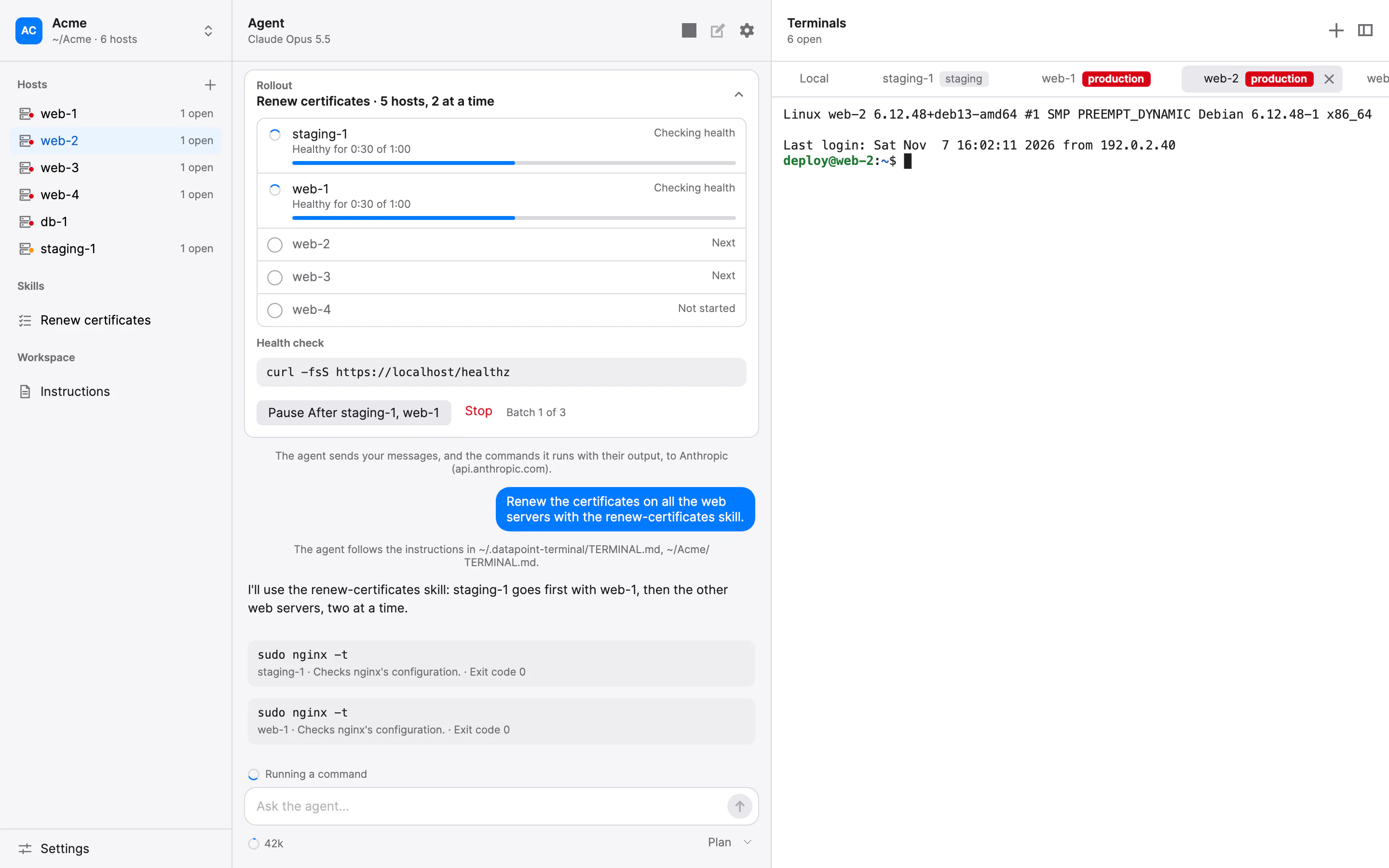
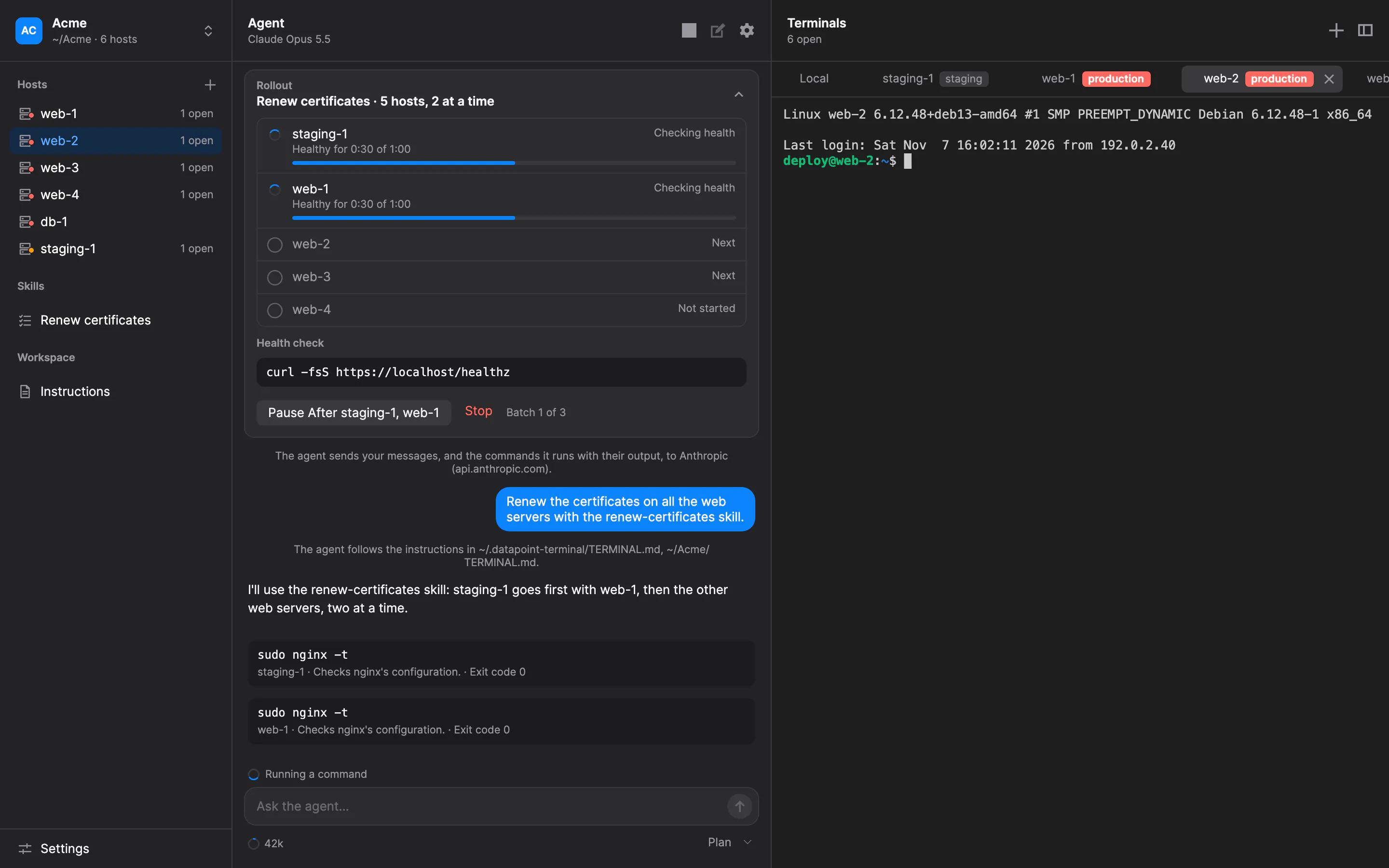
A skill rolling out across hosts, with the rollout's progress and health checks.A skill rolling out across hosts, with the rollout's progress and health checks.

Every host, documented.

The agent keeps a document and a maintenance log for each host, as plain Markdown files in a workspace folder your team already shares, on a network drive, OneDrive or Git.

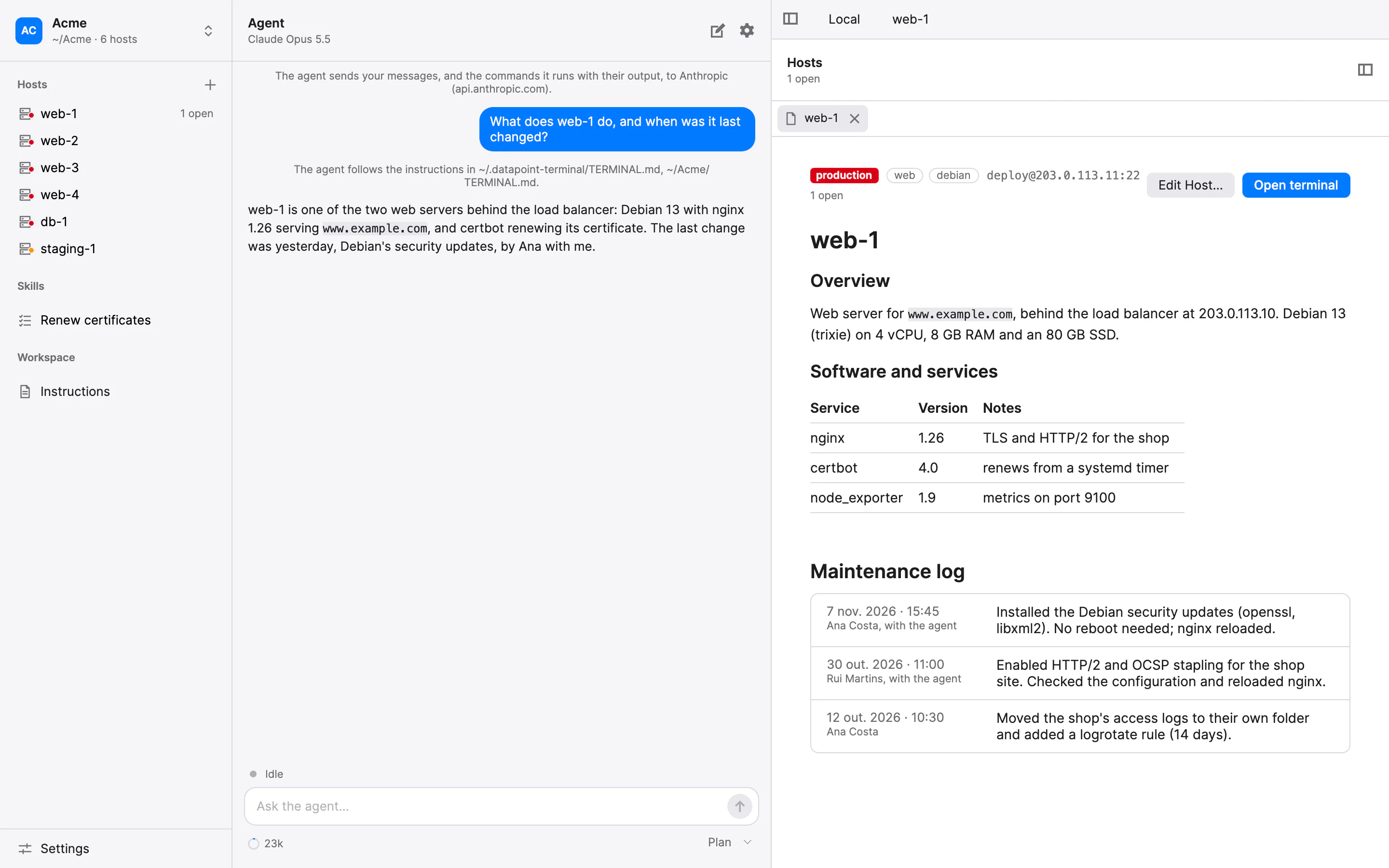
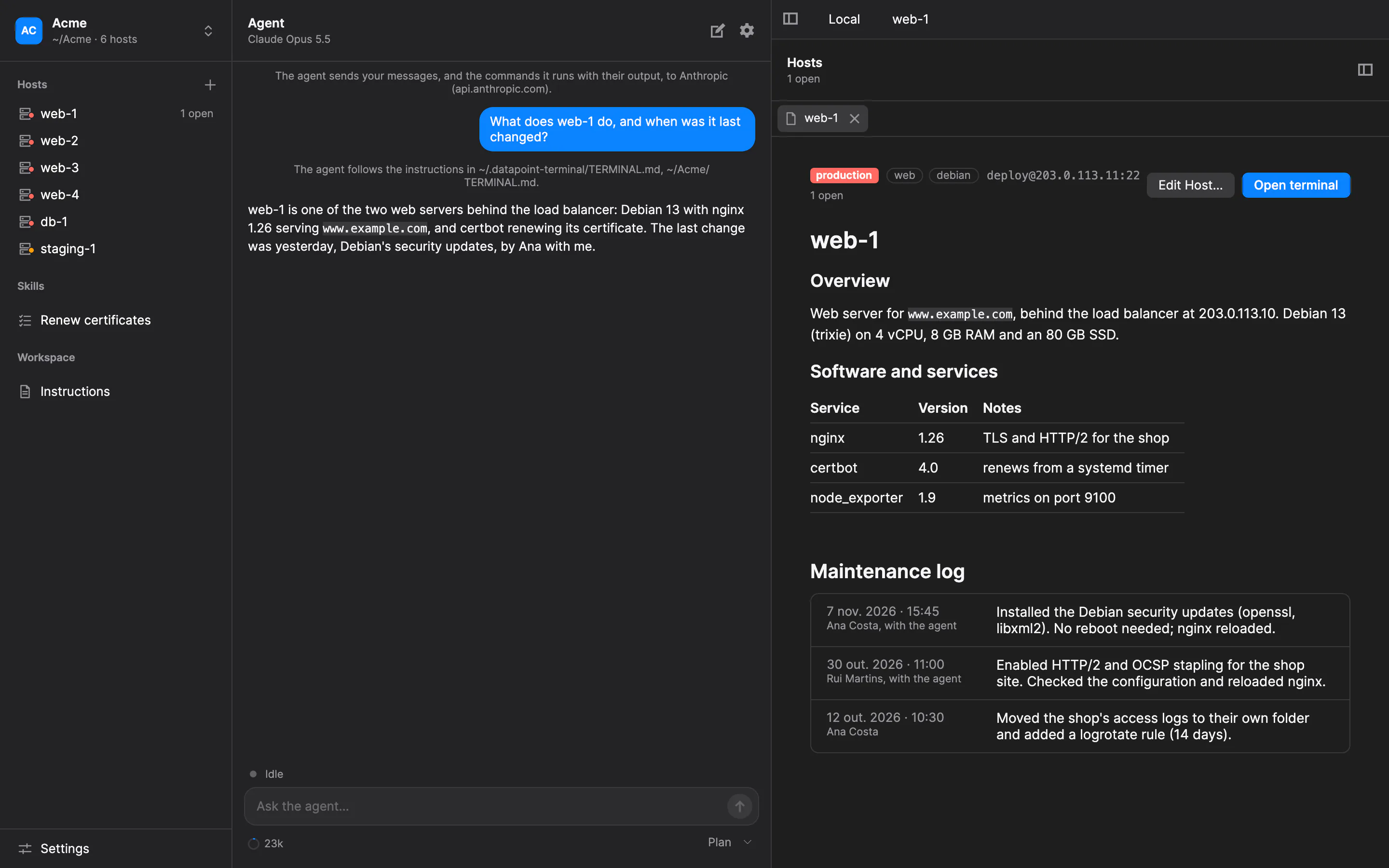
A host's document: its environment and labels, what it runs, and its maintenance log.A host's document: its environment and labels, what it runs, and its maintenance log.

Your provider, your key.

Use Anthropic or OpenAI with your own API key, or an open-weight model you run yourself, with Ollama, LM Studio or vLLM. Mark a model as local, and the application shows that the conversation stays on your machine or network.

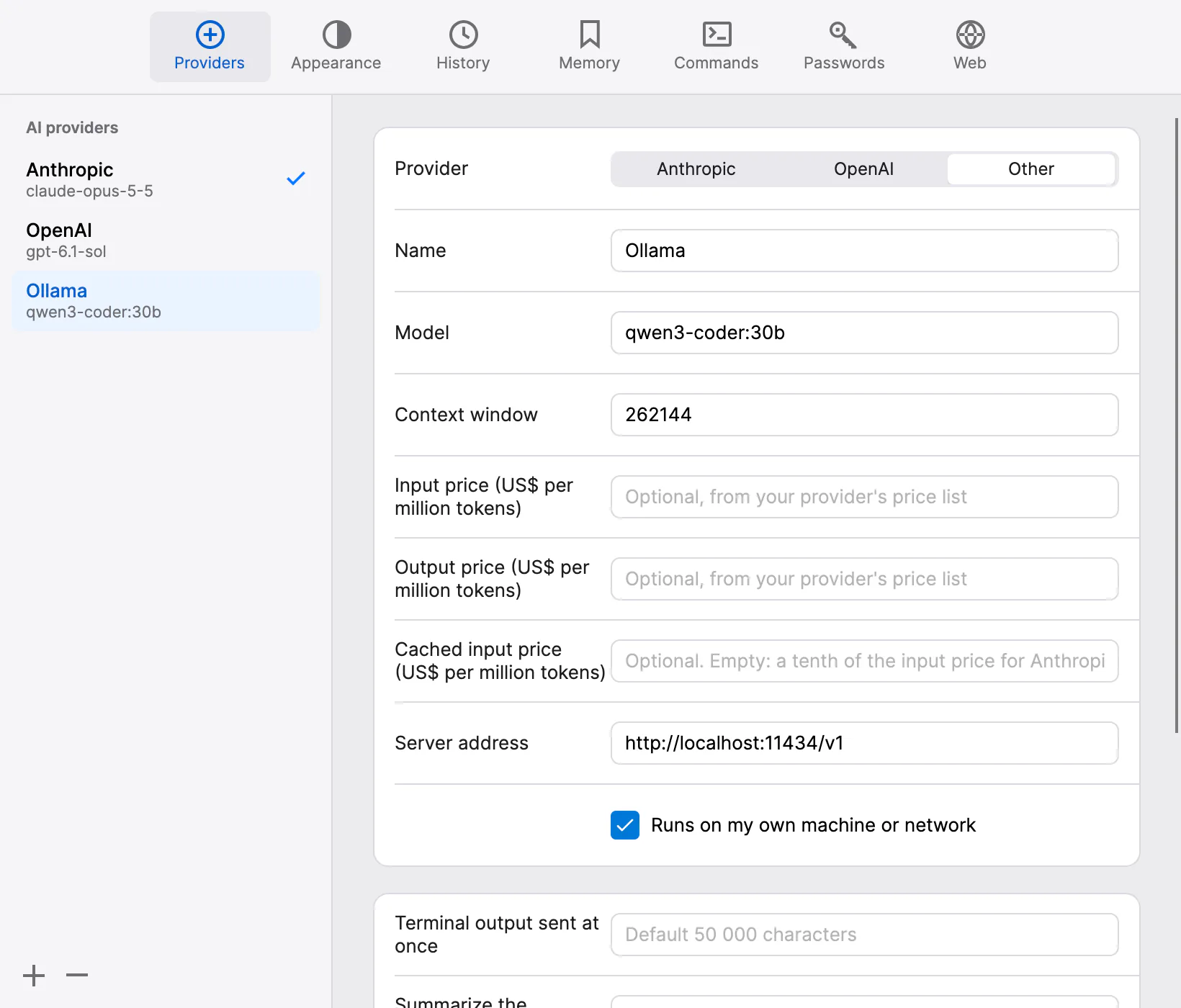
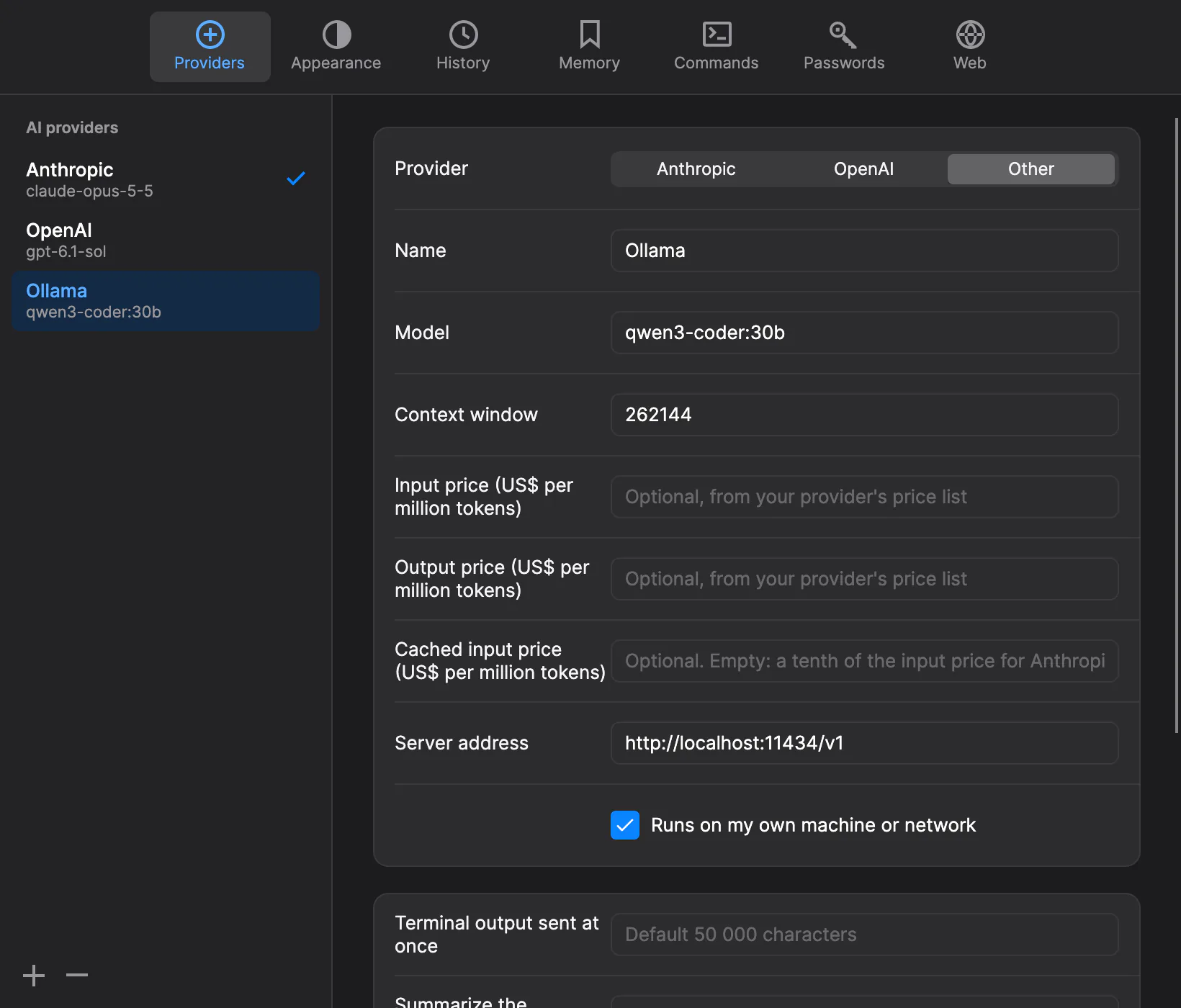
The provider settings: Anthropic, OpenAI, and an open-weight model marked as local.The provider settings: Anthropic, OpenAI, and an open-weight model marked as local.

A good terminal first

Everything you expect from your terminal.

  • Local shells and SSH

    zsh, bash, fish and PowerShell, locally or on your hosts, with jump hosts, port forwarding and file transfer.

  • Split panes and search

    Split right or down, and search the scrollback.

  • Light and dark

    Follows your system, or the theme you choose.

  • Notifications

    Know when the agent finishes, or waits for your approval or an answer.

  • Session recordings

    Played back in the application, kept on your computer, also playable with asciinema.

  • Tokens and cost

    See what each conversation uses with your provider and about what it costs, and set a spending limit.

Safety and privacy

Clear about what it does, and what it can't promise.

The agent runs real commands on real machines. These safeguards make its work visible and reviewable, but none of them can make it harmless.

  • Take over by typing

    The terminal is never locked. Type anything and the agent stops; your keystroke still reaches the shell, and anything running is left alone.

  • What's sent, and to whom

    Terminal output, the files the agent reads and your messages go to the AI provider you choose, a third party unless you run the model yourself. You can see exactly what was sent at each step.

  • Secrets masked, as a best guess

    Secrets the application recognises are masked before anything is sent, and files it shouldn't read can be listed in .terminalignore. Detection can miss a password written in prose.

  • Habits and known risks, written down

    Terminal's README sets out habits that keep you in control, such as starting in Ask mode, labelling production hosts and staying at the keyboard, and the known risks: what the safeguards can't catch.

Download

Try the alpha.

Version 1.0.0-alpha.1: an early test build. Expect rough edges, and anything may change before version 1.0.

The downloads appear here as soon as version 1.0.0-alpha.1 is published.

  • Used on macOS so far. The Linux and Windows builds haven't been tried yet, and some features may not work there.
  • Not signed yet, so macOS and Windows warn before opening it.
  • It doesn't update itself yet. Download new versions from this page.
  • Prefer to build it yourself? The source code and instructions are on GitHub.

Licence

Free and open source.

Open source

Free

Use, change and share it under the GNU Affero General Public License, version 3.

  • The full application, with nothing held back
  • If you share a modified version, or let others use it over a network, offer its source code under the same licence
  • Modified versions keep the attribution to Datapoint and are marked as modified
Read the licence

Commercial licence

Let's talk

For organisations that can't accept the AGPL.

  • Use Datapoint Terminal without the AGPL's terms
  • Support with a service-level agreement
Email us

hello@datapoint.software

Questions

Is it free?

Yes. Datapoint Terminal is free software under the AGPL-3.0. You pay only your AI provider, directly, for what the agent uses, or nothing if you run an open-weight model yourself. Organisations that can't accept the AGPL can buy a commercial licence.

What leaves my computer?

What the agent works with goes to the AI provider you choose: your messages, terminal output while it works on a task, and the files it reads, with the secrets the application recognises masked. With an open-weight model you run yourself, it stays on your machine or network. Datapoint receives none of it.

Which models does it work with?

Anthropic's and OpenAI's models, with your own API key, and open-weight models served over an OpenAI-compatible API, such as Ollama, LM Studio or vLLM. A model must support tool calling; choosing one that hasn't been tested shows a warning.

Is it safe to let an AI run commands on my servers?

No tool can promise that. Datapoint Terminal is built so you see everything the agent does and can stop it at any moment: Ask mode, the default, waits for your approval before each command, and plans show their steps and how to roll back. Using it safely lists the habits that help, and the known risks what these safeguards can't catch.

Does it work on Windows and Linux?

It's built for macOS, Linux and Windows, but so far it's only been used on macOS. The Linux and Windows builds of this alpha haven't been tried, and some features may not work there yet.

Does it update itself?

Not yet. Updates will be signed and checked before they're installed, and until that's in place, the application doesn't check for them. Download new versions from this page.

Delegate. Watch. Take over.

Free and open source, for macOS, Linux and Windows.

Accessibility

Read aloud

Text size

100%

Display

Motion and navigation

Accessibility statement